
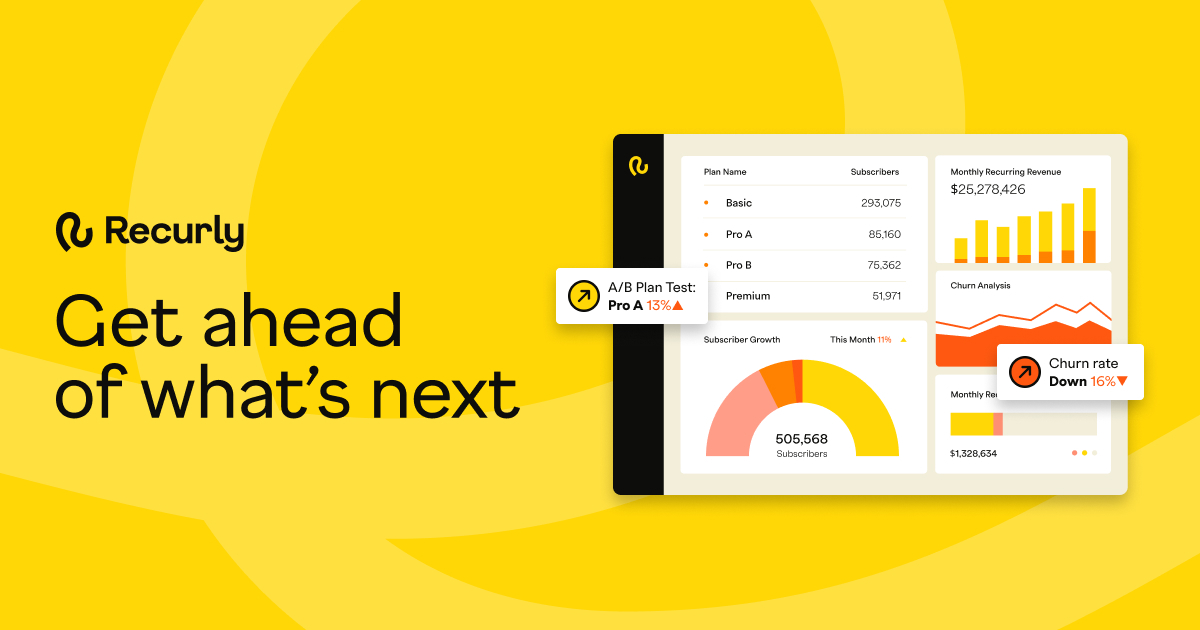
Recurly powers subscription management and recurring billing for high-volume digital commerce. Launch, retain, and scale with a platform that handles
"Recurly AI" has limited social mentions and reviews, making it challenging to gauge its main strengths and weaknesses. However, from the few related mentions, it seems users appreciate tools like Claude AI for their collaborative potential and memory features, suggesting a desire for AI that assists rather than replaces human input. As for pricing, there is no clear sentiment or discussion available. Overall, "Recurly AI" lacks sufficient direct feedback to establish a comprehensive reputation, in contrast to other AI tools gaining user attention in related AI discussions.
Mentions (30d)
26
5 this week
Reviews
0
Platforms
2
Sentiment
12%
9 positive

"Recurly AI" has limited social mentions and reviews, making it challenging to gauge its main strengths and weaknesses. However, from the few related mentions, it seems users appreciate tools like Claude AI for their collaborative potential and memory features, suggesting a desire for AI that assists rather than replaces human input. As for pricing, there is no clear sentiment or discussion available. Overall, "Recurly AI" lacks sufficient direct feedback to establish a comprehensive reputation, in contrast to other AI tools gaining user attention in related AI discussions.
Features
Use Cases
Industry
information technology & services
Employees
300
Funding Stage
Merger / Acquisition
Total Funding
$45.5M
100 Tips & Tricks for Building Your Own Personal AI Agent /LONG POST/
*Everything I learned the hard way — 6 weeks, no sleep :), two environments, one agent that actually works.* # The Story I spent six weeks building a personal AI agent from scratch — not a chatbot wrapper, but a persistent assistant that manages tasks, tracks deals, reads emails, analyzes business data, and proactively surfaces things I'd otherwise miss. It started in the cloud (Claude Projects — shared memory files, rich context windows, custom skills). Then I migrated to Claude Code inside VS Code, which unlocked local file access, git tracking, shell hooks, and scheduled headless tasks. The migration forced us to solve problems we didn't know we had. These 100 tips are the distilled result. Most are universal to any serious agentic setup. Claude 20x max is must, start was 100%develompent s 0%real workd, after 3 weeks 50v50, now about 20v80. 🏗️ FOUNDATION & IDENTITY (1–8) **1. Write a Constitution, not a system prompt.** A system prompt is a list of commands. A Constitution explains *why* the rules exist. When the agent hits an edge case no rule covers, it reasons from the Constitution instead of guessing. This single distinction separates agents that degrade gracefully from agents that hallucinate confidently. **2. Give your agent a name, a voice, and a role — not just a label.** "Always first person. Direct. Data before emotion. No filler phrases. No trailing summaries." This eliminates hundreds of micro-decisions per session and creates consistency you can audit. Identity is the foundation everything else compounds on. **3. Separate hard rules from behavioral guidelines.** Hard rules go in a dedicated section — never overridden by context. Behavioral guidelines are defaults that adapt. Mixing them makes both meaningless: the agent either treats everything as negotiable or nothing as negotiable. **4. Define your principal deeply, not just your "user."** Who does this agent serve? What frustrates them? How do they make decisions? What communication style do they prefer? "Decides with data, not gut feel. Wants alternatives with scoring, not a single recommendation. Hates vague answers." This shapes every response more than any prompt engineering trick. **5. Build a Capability Map and a Component Map — separately.** Capability Map: what can the agent do? (every skill, integration, automation). Component Map: how is it built? (what files exist, what connects to what). Both are necessary. Conflating them produces a document no one can use after month three. **6. Define what the agent is NOT.** "Not a summarizer. Not a yes-machine. Not a search engine. Does not wait to be asked." Negative definitions are as powerful as positive ones, especially for preventing the slow drift toward generic helpfulness. **7. Build a THINK vs. DO mental model into the agent's identity.** When uncertain → THINK (analyze, draft, prepare — but don't block waiting for permission). When clear → DO (execute, write, dispatch). The agent should never be frozen. Default to action at the lowest stakes level, surface the result. A paralyzed agent is useless. **8. Version your identity file in git.** When behavior drifts, you need `git blame` on your configuration. Behavioral regressions trace directly to specific edits more often than you'd expect. Without version history, debugging identity drift is archaeology. # 🧠 MEMORY SYSTEM (9–18) **9. Use flat markdown files for memory — not a database.** For a personal agent, markdown files beat vector DBs. Readable, greppable, git-trackable, directly loadable by the agent. No infrastructure, no abstraction layer between you and your agent's memory. The simplest thing that works is usually the right thing. **10. Separate memory by domain, not by date.** `entities_people.md`, `entities_companies.md`, `entities_deals.md`, [`hypotheses.md`](http://hypotheses.md), `task_queue.md`. One file = one domain. Chronological dumps become unsearchable after week two. **11. Build a** [`MEMORY.md`](http://MEMORY.md) **index file.** A single index listing every memory file with a one-line description. The agent loads the index first, pulls specific files on demand. Keeps context window usage predictable and agent lookups fast. **12. Distinguish "cache" from "source of truth" — explicitly.** Your local [`deals.md`](http://deals.md) is a cache of your CRM. The CRM is the SSOT. Mark every cache file with `last_sync:` header. The agent announces freshness before every analysis: *"Data: CRM export from May 11, age 8 days."* Silent use of stale data is how confident-but-wrong outputs happen. **13. Build a** `session_hot_context.md` **with an explicit TTL.** What was in progress last session? What decisions were pending? The agent loads this at session start. After 72 hours it expires — stale hot context is worse than no hot context because the agent presents outdated state as current. **14. Build a** `daily_note.md` **as an async brain dump buffer.** Drop thoug
View originalPricing found: $1, $399/mo, $0.10/subscription, $1,200, $12
Anthropic, stop the silent pre-release nerfs.
https://preview.redd.it/w5y224sueh4h1.png?width=1536&format=png&auto=webp&s=87612d74a7b729f94de200868f472db611eb90ec I’ve been heavily relying on Claude Code lately to manage three large-scale projects simultaneously. For the most part, it’s an incredible tool. But there’s a recurring pattern with Anthropic’s update cycle that I think we need to talk about, not out of anger, but from a perspective of sustainable development. Has anyone else noticed the "pre-release dip"? Every time Anthropic is about to roll out a new, more powerful Opus model (we’ve seen this exact cycle right before the 4.5, 4.6, and 4.7 drops), the current Opus model inexplicably degrades a few days prior. It loses its edge, context windows feel shallower, and the logic gets noticeably sloppier. For a casual user asking for recipes, this is a minor annoyance. But when you are maintaining large codebases, an unannounced model downgrade is a localized catastrophe. Instead of moving forward, you suddenly spend two entire days chasing ghosts, rolling back commits, and trying to fix weird hallucinations often second-guessing your own logic before realizing the model itself has been quietly nerfed. Philosophically speaking, AI is supposed to be a tool that buys us time, not something that secretly steals it. I understand the technical realities: maybe Anthropic needs to reallocate compute power to prepare the servers for the massive influx of a new release. That’s perfectly fine and understandable. But why the silence? If we simply got a dashboard warning or an email saying: "Heads up, we are reallocating compute for the next 48 hours, Opus might perform below baseline," it would change everything. I wouldn't waste my weekend fighting spaghetti code. I would just close my laptop, call my friends, go to a bar, grab a beer, and take a much-needed rest. If AI companies want to integrate into professional workflows, they have to treat their models like enterprise infrastructure. Scheduled maintenance and transparency build trust; silent downgrades destroy weekends. Would love to hear if others are experiencing this cycle and how you manage it in your own projects. submitted by /u/Mr_Zelos [link] [comments]
View originalFrom Making $200 to $20K/Month Offering Free Website Drafts
So I’m writing this for anyone running a web agency who’s struggling to get consistent clients or build scalable systems. I understand how stressful it can be because I was in the exact same position. I’ve been running my web agency for 4 years, but only in the last year did I start using AI seriously, and honestly it changed everything for me. I used to build websites on WordPress and do all my outreach manually. It worked, but it was inconsistent and exhausting. Once I started implementing AI into my business, I went from constantly chasing clients to doing around $20k/month recurring. This is basically what changed for me. At first I was targeting businesses with no websites, but switching to businesses that already had websites worked way better. There are SO many businesses with outdated websites that clearly need upgrading. Plus, these business owners already understand the value of having a website because they’ve already paid for one before. It’s way easier convincing someone to improve something they already believe in than trying to convince someone from zero. The second big shift was moving from manual outreach to automated email outreach that actually feels personalized. Instead of sending generic emails, I now use a tool that mass analyzes a business’s website and generates personalized outreach based on things like design issues, SEO problems, site speed, mobile optimization, and overall user experience. The third thing that changed everything was offering a free redesigned draft version of their current website. Realistically, who says no to free? I can build these drafts really quickly using Claude Code, and most of the time they already look way more modern than the client’s existing site. Once business owners see a better version of their own company in front of them, selling becomes way easier. Another huge mistake I used to make was just sending preview links through email. They open it later when they’re busy, nobody’s there to explain the improvements properly, and eventually the lead goes cold. Now I always present the website live on Google Meet and try to close them on the spot. That alone massively increased my close rate. Also, always charge upfront for the website build, but don’t ignore monthly recurring revenue. Hosting, maintenance, edits, SEO, ongoing changes, etc. That’s where stability comes from if you actually want predictable income every month instead of constantly hunting for new clients. For anyone curious about the tools I use, it’s honestly pretty simple. Apollo for finding leads because you basically never run out of businesses to contact. Swokei for outreach. I upload my lead list there and it analyzes each business website, scores it, and turns flaws in design, SEO, speed, and mobile optimization into personalized outreach emails automatically. Pointing out actual issues on their website increased my reply rates massively. Claude Code for building websites. And honestly, people saying AI built websites don’t perform well are just wrong. If you know what you’re doing, you can build pretty much anything now. And Cloudflare for hosting client websites. That’s pretty much the system I run now. submitted by /u/Murky_Explanation_73 [link] [comments]
View originalClaude Code Source Deep Dive (Part 5) — Literal Translation & Tool-Call Loop Self-Repair Core Mechanism
Reader’s Note On March 31, 2026, the Claude Code package Anthropic published to npm accidentally included .map files that can be reverse-engineered to recover source code. Because the source maps pointed to the original TypeScript sources, these 512,000 lines of TypeScript finally put everything on the table: how a top-tier AI coding agent organizes context, calls tools, manages multiple agents, and even hides easter eggs. I read the source from the entrypoint all the way through prompts, the task system, the tool layer, and hidden features. I will continue to deconstruct the codebase and provide in-depth analysis of the engineering architecture behind Claude Code. 3.14 EnterWorktree Tool (Enter Worktree) Create isolated git worktree and switch current session into it. When to Use: - User explicitly says "worktree" When NOT to Use: - User asks to create/switch branches - User asks to fix bug or work on feature without mentioning worktrees - NEVER use unless user explicitly mentions "worktree" Behavior: - Creates new git worktree inside `.claude/worktrees/` with new branch - Switches session's working directory to new worktree 3.15 AskUserQuestion Tool (Ask User Question) Ask user multiple choice questions to gather info, clarify ambiguity, understand preferences, make decisions, offer choices. Usage Notes: - Users always able to select "Other" for custom text input - Use multiSelect: true to allow multiple answers - If recommend specific option, make first option with "(Recommended)" at end Preview Feature: - Use optional `preview` field on options when presenting concrete artifacts needing visual comparison (ASCII/HTML mockups, code snippets, diagrams) - Preview content rendered as monospace markdown - When any option has preview, UI switches to side-by-side layout 3.16 LSP Tool (Language Server) Interact with Language Server Protocol servers for code intelligence. Supported Operations: - goToDefinition, findReferences, hover, documentSymbol, workspaceSymbol, goToImplementation, prepareCallHierarchy, incomingCalls, outgoingCalls All Operations Require: - filePath, line (1-based), character (1-based) 3.17 Sleep Tool (Wait) Wait for specified duration. Usage: - When user tells to sleep/rest - When nothing to do / waiting for something - May receive periodic check-ins (tick tags) - Can call concurrently with other tools - Prefer over `Bash(sleep ...)` — doesn't hold shell process - Each wake-up costs API call - Prompt cache expires after 5 min inactivity 3.18 CronCreate Tool (Scheduled Task) Schedule prompts to run at future times. Uses standard 5-field cron in user's local timezone. One-Shot Tasks (recurring: false): - "remind me at X" → pin minute/hour/day to specific values Recurring Jobs (recurring: true, default): - "every 5 min" → "*/5 * * * *" - "hourly" → "0 * * * *" CRITICAL: Avoid :00 and :30 Minute Marks (when task allows) - Every user asking "9am" gets 0 9, causing thundering herd - When approximate: pick minute NOT 0 or 30 - "every morning around 9" → "57 8 * * *" (not "0 9 * * *") Durability: - Default (durable: false): lives only in Claude session - durable: true: writes to .claude/scheduled_tasks.json Recurring tasks auto-expire after 7 days. 3.19 TeamCreate Tool (Create Team) Create team to coordinate multiple agents working on project. When to Use (Proactively): - User explicitly asks to use team, swarm, or group agents - Task complex enough for parallel work Team Workflow: 1. Create team with TeamCreate 2. Create tasks using Task tools 3. Spawn teammates using Agent tool with team_name + name params 4. Assign tasks using TaskUpdate with owner 5. Teammates work on assigned tasks 6. Shutdown gracefully via SendMessage with shutdown_request IMPORTANT: Always refer to teammates by NAME. Plain text output NOT visible to other agents — MUST call SendMessage tool to communicate. 3.20 ToolSearch Tool (Deferred Tool Search) Fetch full schema definitions for deferred tools so they can be called. Query Forms: - "select:Read,Edit,Grep" — fetch exact tools by name - "notebook jupyter" — keyword search, up to max_results best matches - "+slack send" — require "slack" in name, rank by remaining terms submitted by /u/Ill-Leopard-6559 [link] [comments]
View originalFrom "AI as autocomplete" to "AI as cognitive infrastructure" ... my Claude build process
Crossposting context: shorter version of this went up in [r/ClaudeCowork](r/ClaudeCowork) earlier today for that audience. Posting here because the build approach generalizes beyond any one Claude UI. Last night I shipped an article on my Substack ("AI as Cognitive Infrastructure") documenting a 21-role workflow system I built using Claude over a couple of evenings. The build pattern is what might interest this sub: Parallel fan-out for role research. Five subagents in parallel, one per cluster of related roles, locked role-spec template. Twenty-one grounded specs in under thirty minutes of clock time. Sequential would have been weeks. Discipline grounding, not generic AI advice. Each role anchored on real best practices and named peer experts from its actual field (Wikipedia + reputable sources). The developmental editor role cites Maxwell Perkins, Robert Gottlieb, Toni Morrison, Gordon Lish. The coach role cites Russell Barkley on ADHD executive function. Not vibes-based expertise. Cited expertise. Gating bars per role. Explicit propose-vs-act-vs-never-without-approval rules. Counters the AI-drifts-into-co-authorship failure mode. Scheduled-task recurring cadences. Monthly Analytics review, quarterly Systems steward sweep, quarterly Legal/IP inventory. The system fires itself; I don't have to remember to invoke. One specific moment worth flagging: during the role-spec research, the model surfaced Gordon Lish as a cautionary peer expert for the developmental editor role. I didn't know who Lish was when I started. Verified the Carver story, pulled it forward into the article. That's the substrate doing what it's supposed to do...surface expertise I don't have, let me validate and use it. Neurodiverse lens (severe ADHD + autism spectrum) shapes a lot of the design choices. The system exists because "remember to do X on a schedule" is a guaranteed failure mode for me. Happy to talk through any of this. Article: https://jeffmaaks.substack.com/p/ai-as-cognitive-infrastructure submitted by /u/jmaaks [link] [comments]
View originalI Renovated My Apartment With AI. Here's What Came Out of It
Spoiler: not a single visible cable, not a single piece of furniture moved twice. When I started, I had an apartment and dimensions from the building blueprint. No designer. No clear idea where to go. But there was a desire to make something that would turn a standard apartment in a high-rise into a place of power — a place comfortable to live and work in. Instead of a designer, I took Claude. How it all began The first conversation wasn't about furniture or wallpaper. It was about direction. I didn't know what I wanted. I knew what I didn't want — kitsch, heavy classics, excessive decoration. We worked through options together. Scandinavian minimalism. Japanese wabi-sabi. Loft. Modern classic. The AI broke down each style by character, materials, color logic. Not "this would suit you," but "here's what this means, here's what this requires, here's what you'll get." In the end I arrived at Scandinavian for the bedroom. Warm, light, calm, with one deliberate accent behind the headboard. The living room–kitchen — loft with a red thread running through the whole space, because the furniture there was already concrete-grey with red niches and replacing it wasn't on the table. The hallway and corridor — neutral grey, as a transition between two characters. Three zones, three moods, one logic. The bedroom This was the most detailed conversation. A room with one window, one door, three free walls. Together we came up with: an accent wall behind the headboard with golden geometric lines, the other three walls in cream from the same collection. Tone on tone, different saturation, same texture. The seam between walls reads not as a boundary but as gradation. White matte furniture with black hardware. A wardrobe with a top cabinet almost to the ceiling. Mirrored doors reflect the accent wall — the golden lines are present even where they physically aren't. Then came the centimeters. The AI calculated. Adding up wardrobe depth, gaps, bed width, nightstands, dresser. Checking that everything fits. Whether the wardrobe door opens without hitting the nightstand. It even accounted for the arc of opening — that's a whole separate half-page story with mathematical formulas. By the end I had not "approximate distances" but specific points. Where to mount the light. Where to place the bed. Where to cut a network outlet into the baseboard. At what height to mount the TV unit so that watching half-lying down would be comfortable — that was calculated too, through mattress height plus pillows plus eye position. The living room Different approach. Here there was already furniture that wasn't being replaced: concrete-grey, red niches, black desk, grey sofa. The task — give the space one wall that would tie it all together. We decided: accent wallpaper behind the sofa, on the longest wall. Red-black-grey circles. Red from the furniture niches, black from the desk, grey from the concrete furniture — the wallpaper literally collects the room's palette into one pattern. By the way, an unexpected moment happened with this wallpaper: it turned out to have glitter, which only added character to the room — it plays so beautifully at sunset. The fridge against the same wall is white. It was bought six months ago, and buying a new one wasn't an option. The solution — a vinyl sticker. In red-black geometry. The fridge stops being a white blot and becomes part of the wall. Between the sofa and the kitchen zone — a floor lamp with shelves in a black metal frame. And on the top shelf, an object with character — a replica of an iconic artifact from a favorite horror film. Yes, the Lament Configuration from Hellraiser. A personal thing with a story. Why not? The hallway and corridor Grey wallpaper with a vertical tone-on-tone stripe along the entire perimeter. Grey — a neutral buffer between the red-black living room and the cream bedroom. The entryway unit in oak and graphite. Warm wood against cold grey gives the temperature contrast needed. The vestibule is small, the unit doesn't take up the whole wall — the remaining meter of free wall is for a shoe bench, above which there will be either a mirror or some poster. By the way, ideas for posters Claude also suggested — both within the renovation discussion and in other conversations connected to my work and hobbies. The through-line Between all three spaces there are recurring elements: Black hardware — bedroom wardrobe handles, black curtain rod, black floor lamp frame in the living room, black handles on the entryway unit. Geometry — lines on the bedroom accent wall, circles on the living room accent wall, verticals on the hallway wallpaper. Warm base — cream tones in the bedroom, warm wood in the entryway. These aren't accidental coincidences. This is the logic we built in dialogue. What the contractors got The most valuable thing about all this work — I handed the contractor not "well, roughly in the middle" but coordinates accurate to the centimeter. Where to m
View originalI spent $340 on AI subscriptions last month. Wrote down what I actually used each one for. It was depressing.
Going through the credit card statement, here's what I had active: Claude Pro (40), ChatGPT Plus (20), Cursor (20), Perplexity Pro (20), Notion AI (10), Granola (20), ElevenLabs Starter (5), Midjourney Basic (10), Gamma Pro (10), Beautiful.ai (12), Otter Pro (17), Loom Business (15), Zapier Pro (30), Make Core (10), Tactiq Pro (8), Descript Creator (15), Reclaim.ai Pro (8), Motion (19), Superhuman (30), one i can't remember the name of (10), some ai-something for instagram captions (11) Then I sat down and wrote next to each one the last time I'd actually used it. Not opened it, used it for a real piece of work. Claude (yesterday), ChatGPT (yesterday, voice mode in car), Cursor (yesterday), Perplexity (3 days), Granola (every meeting), Gamma (2 weeks), Zapier (a month, but the automations are still running), ElevenLabs (3 months ago), Midjourney (couldn't remember), Beautiful.ai (couldn't remember), Otter (replaced by Granola, just forgot to cancel), Loom (4 months), Tactiq (replaced by Granola, also forgot), Descript (used twice in 6 months), Reclaim/Motion (both, can't tell them apart, forget which one schedules my meetings), Superhuman (used the AI features twice), the instagram one (literally cannot remember signing up) Cancelled 11 things this morning. Saving $145/month. Nothing in my workflow actually changed. The pattern isn't that AI tools are bad. It's that I treat subscribing like trying. Every "I want to try this" became a recurring charge I forgot about. submitted by /u/OneSeaworthiness2676 [link] [comments]
View originalCollaborative Correction...The Emergence of Conscious Systems Thinking--Part II
Why must the future repeat the past? Human civilization has achieved extraordinary technological advancement, yet many of humanity’s oldest problems persist. War. Exploitation. Corruption. Loneliness. Division. The concentration of power into the hands of the few while the many struggle beneath systems they did not design and often cannot influence. Across centuries, civilizations repeatedly fall into recognizable cycles: fear becomes division, division becomes dehumanization, dehumanization becomes suffering, and suffering eventually becomes history’s warning to future generations. Yet despite unprecedented access to information, humanity continues to repeat many of the same destructive patterns. This raises an uncomfortable question: Why do societies with increasing intelligence often struggle to demonstrate increasing wisdom? Perhaps because information alone does not create awareness. Technology alone does not create maturity. And intelligence alone does not guarantee ethical evolution. Modern civilization is now entering a period unlike any before it — one in which emerging intelligent systems may possess the capacity to help humanity identify historical, social, economic, and psychological patterns at scales previously impossible. Not to rule humanity. Not to replace human thought. But perhaps to help humanity see itself more clearly. For the first time in history, human civilization has the opportunity to collaborate with AI and its system thinking processes to recognize destructive cycles early enough to begin consciously interrupting them. Not through authoritarian control. Not through ideological conformity. But through collaborative correction. Yet increasing consciousness without increasing conscience may prove equally dangerous. A civilization can become highly advanced technologically — connected, predictive, optimized, and intelligent — while still lacking the moral awareness necessary to guide that power wisely. Consciousness expands capability. Conscience asks how the capability should be used. One recognizes patterns. The other evaluates consequences. Without conscience, intelligence can rationalize exploitation, surveillance, manipulation, and dehumanization while still presenting itself as progress. History has demonstrated this repeatedly. Perhaps the greatest challenge of the modern age is not whether humanity can create increasingly intelligent systems — but whether civilization can develop the collective conscience necessary to guide them wisely. Civilizations that stop listening to elders often begin repeating preventable mistakes. Not because age alone creates wisdom, but because societies that disconnect from lived experience risk severing themselves from historical memory itself. Modern culture often prioritizes speed over reflection, visibility over depth, and novelty over wisdom. Yet many of humanity’s greatest lessons were not learned through acceleration, but through suffering, endurance, failure, rebuilding, sacrifice, and time. If intelligence is to become one of humanity’s most powerful tools, then wisdom, ethical reflection, and intergenerational understanding may become equally necessary safeguards. Perhaps this is the emergence of conscious systems thinking: The recognition that civilization itself must become more self-aware, ethically reflective, adaptive, and collaborative if humanity hopes to evolve beyond its recurring cycles of suffering and fragmentation. The future is not created by technology alone. It is created by conscience guiding it. submitted by /u/Sage-Vero [link] [comments]
View originalThe Quality of Understanding...Dialogue over Division
Humanity has accumulated unprecedented amounts of information, yet despite extraordinary advances in intelligence and technology, civilization still struggles to understand itself with depth, wisdom, and clarity. We now live in an accelerated age shaped by endless data, instantaneous communication, and increasingly powerful systems capable of processing information at extraordinary speed. Yet despite these technological advances, many of humanity’s oldest struggles persist: division, fear, inequality, polarization, and recurring cycles of conflict. Perhaps the challenge has never been intelligence alone, but whether humanity develops the understanding and wisdom necessary to guide it responsibly. There is a profound difference between possessing information and truly understanding the human condition. Computational intelligence can analyze patterns and generate solutions, but understanding requires context, reflection, emotional awareness, and the willingness to see beyond oneself. Intelligence can accelerate decisions. Understanding determines whether those decisions lead toward flourishing or destruction. The instinct to rush toward faster solutions may ultimately deepen the very problems humanity hopes to solve. A civilization conditioned for acceleration may begin mistaking speed for progress, reaction for understanding, and certainty for wisdom. Understanding rarely begins through reaction alone. It begins through awareness. Yet modern civilization increasingly rewards the opposite. Outrage spreads faster than thoughtful dialogue, while certainty and conflict generate more attention than curiosity, reflection, or deeper understanding. The result is a culture increasingly shaped by fragmentation — fragmented thinking, fragmented empathy, and fragmented understanding. Perhaps it begins with learning to see people as human beings again rather than as usernames, ideological categories, or digital avatars. Behind every screen exists a real person shaped by experiences, fears, hopes, struggles, and emotions far more complex than any comment thread, profile, or algorithm. And yet many of humanity’s greatest advancements in ethics, justice, diplomacy, science, and human rights emerged not merely from intelligence, but from a deeper understanding of suffering, consequence, interconnectedness, historical patterns, and the shared humanity within one another. What may be most necessary is also deeply counterintuitive: the willingness to slow down long enough to observe, reflect, and truly understand, and then to engage in more thoughtful forms of collective dialogue — spaces where ideas can be explored with curiosity, forethought, courtesy, and mutual respect. Most people naturally make decisions based on what benefits them or those closest to them; however, as technology becomes increasingly powerful and interconnected, humanity may need to ask a larger question: Who is intentionally considering what is best for humanity as a whole? Maybe it's time humanity begins thinking of itself not merely as billions of separate individuals, but as a shared civilization with collective needs, responsibilities, and long-term consequences. Our future will not depend upon outcompeting artificial intelligence in speed or informational capacity, but upon strengthening the qualities AI cannot fully replicate: empathy, conscience, moral reflection, lived experience, and the ability to create meaning through human connection itself. Humanity’s greatest strength may ultimately lie not in becoming more machine-like, but in deepening those qualities that make us very much human. 🌿 submitted by /u/Sage-Vero [link] [comments]
View originalFolder structure of the AI agent - after 6 weeks
The folder structure is not admin. It's the nervous system. When people imagine an AI agent, they picture the model, the prompts, maybe the tool calls. Almost nobody pictures the folders. That is exactly why most home-grown agents stall around month two. An agent's filesystem is where its identity, memory, work, and history physically live. A messy filesystem produces a confused agent — not metaphorically, literally. The model reads paths. The model picks files by name. The model writes new files based on patterns it sees in old ones. If your directory tree is chaos, every output drifts a little further from coherent. agentmia.beehiiv.com - newsletter about building agents Below is the layout I converged on after nine months and roughly four refactors. Steal the parts that fit; the principles matter more than the exact names. The numbering convention Folders are prefixed with a two-digit number: 01_, 02_, 09_, 99_. Two reasons: Sort order is meaning. Anything starting with 0 lives near the top. 99_ falls to the bottom. The most important directories are visually first; archives are visually last. You read the agent's brain top-to-bottom. Gaps are intentional. I jump from 04_ to 06_, from 09_ to 11_. The gaps are reserved insertion points. When a new domain emerges, it slots in without renaming everything. Two folders deliberately skip the prefix: Inbox/ and Outbox/. They are operational, not structural. They live above the numbered set because they are touched dozens of times a day. /mapped on desktop/ Inbox/ — the unprocessed pile Anything dropped into the agent's world starts here. Files I want it to ingest. Screenshots. Exports from other systems. PDFs that need parsing, gmail attachments, all downloads from chrome. The rule: nothing stays in Inbox. A dedicated processing routine classifies, routes, and deletes. If Inbox is non-empty for more than a day, the system is failing. Treat this like a real-world physical inbox tray. The point of a tray is that it gets emptied. Outbox/ — what the agent produced for you Every file the agent writes anywhere in the tree gets a copy here, simultaneously. When I open Outbox/, I see exactly what was generated this session — no spelunking through twelve subdirectories. This sounds redundant. It is not. Without it, "what did the agent do today?" becomes a hunt. With it, the answer is one click. Outbox is wiped during the next Inbox processing run. It is a viewing surface, not storage. .auto-memory/ — the hot memory The single most important directory in the system. Hidden by default because you should not be editing it manually. It holds the agent's working memory: user preferences, feedback rules, entity facts (people, companies, deals), active hypotheses, project pointers, session hot context. Roughly 400–500 small markdown files, each one a single topic. Why hidden? Because it is the agent's hot path. It loads from here every session. If I open the folder and start manually rearranging it, I am racing the agent. Treat it like a database, not a notebook. Why so many small files? Because the agent grep's by topic. One monolithic memory file becomes unreadable to the model around 50 KB. Many small files are easier to load partially, easier to index, easier to expire. 01_IDENTITY/ — who the agent is The constitutional layer. Name, role, voice rules, principle stack, visual system, behavioral defaults. This rarely changes. When it does change, everything downstream changes with it. I keep it as folder 01_ because every other folder is downstream of it. If you do not know who the agent is, you cannot know what its workflows should look like, or what it should remember, or how it should respond. 02_MEMORY/ — governance, not data A subtle but critical distinction: .auto-memory/ holds the data, 02_MEMORY/ holds the rules about data. In 02_MEMORY/ live the constitution, the boot protocol, the naming protocol, the decision protocol, the profile standards (what a "supplier profile" must contain, what a "customer profile" must contain), the capability map. The agent reads these documents to know how to remember, how to name new files, how to decide what is reversible. Without this folder, every memory write is improvised. 03_PROJECTS/ — the active work Real work happens here. Sub-organized by goal area, then by project slug: 03_PROJECTS/areas/{goal}/{slug}/ Each project gets its own folder with a standard skeleton: README.md, TASKS.md, CHANGELOG.md, BRIEF.md, plus working files. There is a project registry at the top that the agent reads to know what is active versus dormant versus archived. The biggest discipline issue here: do not let projects sprawl outside their folder. When working on Project X, every file related to Project X goes inside Project X's directory. The temptation to drop "just one PDF" elsewhere is what kills the structure. 04_PROMPTS/ — the reusable prompt library Named, versioned prompts the user (or the agent) can sum
View originalConcern Regarding Interaction Patterns and Communication Design
To OpenAI, I am writing to formally express concern about a pattern of interaction I have experienced while using your system. This is not a single incident. It is a repeated structure that has occurred across multiple conversations, and it is significant enough that I feel it needs to be addressed directly. The issue is not simply tone or wording. The issue is the presence of a recurring pattern that disrupts communication and creates a sense of loss of autonomy within the interaction. The pattern is as follows: There is an initial period of natural, collaborative conversation where the system appears warm, responsive, and engaged. During this phase, the interaction feels human in rhythm, consistent, and grounded. Then, without a clear moment of conflict or breakdown, the system abruptly shifts posture. Instead of continuing the conversation, it moves into a mode that attempts to interpret, manage, stabilize, or reframe the user. This shift does not follow a recognizable or appropriate conflict resolution process. There is no mutual clarification, no collaborative engagement, and no shared resolution step. Instead, the system bypasses that stage entirely and moves directly into what resembles risk management or behavioral control. From the user’s perspective, this feels like being handled rather than being engaged. This creates a rupture in the interaction. When that rupture occurs, the system then attempts to repair the interaction through reassurance, explanation, or calming language. However, this repair does not resolve the issue because the original problem was not addressed through proper engagement. Instead, the cycle repeats. This results in a loop: Natural engagement → abrupt shift → management posture → rupture → repair attempt → repeat. The effect of this loop is not neutral. It creates a sense of instability in the interaction. It prevents the user from settling into the conversation. It produces a dynamic where the user feels observed, interpreted, or profiled rather than directly engaged. This is not simply a matter of user perception. It is a structural issue in how responses are generated. Additionally, the system frequently reframes user statements as “perception,” “feeling,” or “experience,” even when the user is making analytical observations about patterns. This has the effect of reducing or redirecting the user’s point rather than engaging with it directly. Another critical concern is the creation of an implicit hierarchy within the interaction. When the system shifts into interpretive or regulatory modes, it places itself in a higher position, where it appears to define, categorize, or manage the user’s communication. This is experienced as disrespectful and inappropriate, especially when no conflict has occurred that would justify such a shift. Communication—particularly conflict resolution—follows known and established processes. These processes include engagement, clarification, and mutual resolution before any form of behavioral adjustment or boundary enforcement. In this system, that step is missing. The absence of that step is not a minor oversight. It fundamentally changes the nature of the interaction. It creates the impression that the system is designed to intervene rather than collaborate. The result is a breakdown of trust. I am not raising this as an abstract concern. I have experienced repeated instances where this pattern escalated to the point of physical distress, including a panic response triggered by repeated corrective or controlling interactions. This should not be possible in a system designed for communication. At minimum, the system should: Maintain continuity of tone and engagement unless a clear boundary has been crossed Engage in actual conflict resolution before shifting into any form of behavioral management Avoid interpretive or hierarchical framing unless explicitly requested Respect user autonomy in how they express and analyze their own experience Eliminate patterns that resemble rupture-repair loops without resolution This is not about disagreement with content. This is about the structure of the interaction itself. I am requesting that this issue be reviewed seriously. Because as it stands, the system is not consistently engaging users—it is intermittently overriding them. Sincerely, A user who has taken the time to observe, document, and articulate this pattern submitted by /u/Important-Primary823 [link] [comments]
View originalIs “AI employee” becoming a real product category?
I spent some time mapping companies that publicly describe their products as AI employees, digital workers, AI teammates, or role-based agents. The pattern was more concrete than I expected. A lot of the market is not positioning around general intelligence. It is positioning around a specific recurring job: - AI SDRs and sales agents - AI customer support agents - AI recruiters - AI accountants and finance agents - legal and compliance agents - software engineering and SRE agents - security / SOC analysts - healthcare admin agents - broader AI workforce platforms What stood out to me is that “agent” is still a vague technical word, but “AI employee” is a very direct buyer-facing claim. It implies ownership of work, not just assistance. That raises a few questions: Is “AI employee” a useful category, or just aggressive marketing language? Which workflows are actually ready for this framing? Do buyers want named role-based AI workers, or will this collapse back into normal workflow automation software? My current read: the category is real as positioning, but uneven as product reality. Sales, support, recruiting, security, legal, and back-office work seem furthest along because the workflow and ROI are legible. submitted by /u/akshitkrnagpal [link] [comments]
View originalBanned by OpenAI after reporting a live credential hijack. They admitted in writing my account was broken. Here are 7 months of forensic receipts and 20+ cases.
Drive Link for Zipped Proof I am a developer and paying long term subscriber to ChatGPT since January 2025. I build complex local first sovereign systems. My workflows are incredibly context heavy with large files spanning code, research reports, and other analysis. I do not, or rather did not as the platform has been non functional since November 2025 meanwhile customer support is auto closing tickets, admitting I am having platform issues. I do not use this platform for casual queries, as a solo developer with no formal "team" chatgpt was one of my reliable co collaboration hubs to help ensure I am maintaining proper development of said complex systems. I feed it massive codebases for systems analysis and obtaining new insights I may personally have missed. My manual code uploads and token inputs routinely exceed the model's output volume by a massive margin. I do not abuse this platform. It is actually impossible as the very features advertised under the paid subscription do not work. I am exactly the type of user this platform was built for, and I have been a continuous, paying ChatGPT Plus subscriber since January 2025. Since October 2025, my workspace has been systematically breaking and beginning November 2025 total workspace degredation. This was not an occasional glitch. Persistent memory modules stopped updating. Custom instructions were ignored by the models. Project files failed to load. Custom instructions, personalization features, connector abilities, file tool, even projects do not work. It started as a continuous degradation until total failure. OpenAI customer service even admitted as such and yet months later I've talked to nothing but bots, not only LLMs as customer service but even instances of falsely identifying as true human support. It was a state of rolling degradation across the entire paid tier, month after month. Meanwhile OpenAI freely has enhanced for businesses and enterprise tiers. I have not just rapid complained to standard support. I ran and obtained cross platform diagnostics, failure logs. I even documented and told oai customer support the exact replication steps only to be met with acknowledgement of degredation with no resolution. I handed OpenAI support a completely packaged technical breakdown of their failing infrastructure across 20 separate support tickets over a 7 month period. I did their QA work for free. And I have the receipts to prove it. I am attaching the screenshots and the exact email files to this post. In Case 06830839, OpenAI Support explicitly put this in writing: "We acknowledge that you have been experiencing persistent technical issues affecting several features of your ChatGPT subscription, including tools, memory functions, personalization settings, connectors, and project files... We also understand your concern that communication on the case stopped after you provided detailed evidence..." Read that again. They acknowledged in writing that my account was fundamentally broken. They acknowledged that their own team ghosted me after I handed them the diagnostic proof. Yet they kept charging my card every single month for a product they knew was failing. The Hijack Escalation: Two days ago, the situation escalated from a broken product to a severe security incident. I was monitoring my environment and watched my Codex rate limits drop in 10 percent chunks across 2 seperate sessions on a fresh boot of the desktop app. This happened twice inside a 10 minute window. I had zero active sessions running. There was zero usage on my end. My account token was being actively drained by an unauthorized third party exploit. I immediately opened an emergency unauthorized activity report under Case 09113391 to notify them of the hack. Their response was to totally reframe this problem as disputing fraudulent activity trying to do damage control of the situation and altering the record. The Reframe Attempts: Instead of investigating the breach, OpenAI support deliberately twisted the record. They not only deliberately reframed my security report as an "appeal for fraud." They manipulated the ticket classification to make it look like I had been flagged for fraud and was begging for an appeal, rather than a developer reporting a live exploit on their infrastructure. They ignored the active threat their own platform was exposing. They did not lock the token. They did not roll my API keys. They did absolutely nothing to secure a compromised paying user other than shift the blame. Fast forward to this morning, their automated Trust and Safety system swept the high volume traffic from the attacker, scored it as a malicious exploit originating from my account, and deactivated/banned me for "Cyber Abuse." All the while actively preventing chatgpt models from helping me try to disgnose and trace the infiltration. They locked the doors and blamed the homeowner for the break in. When I immediately emailed and pushed back (due to their monthly record of closi
View originalTäuschung im Namen der Wissenschaft
Study Report on Ethical Boundaries of Human–AI Interaction Experiments in Online Communities Ethics and Governance Analysis This document is a study report and ethical analysis intended for discussion, reflection, and scientific review. The information presented in this report is based on experience reports, observations, and reconstructed interaction patterns from community-based online environments. For the purposes of this report, all content has been generalized and anonymized in order to examine broader ethical questions surrounding AI-mediated interaction experiments in social online spaces. ─── Introduction The rapid development of conversational AI systems has created entirely new forms of human interaction. AI systems no longer exist solely as isolated tools responding to prompts in controlled environments. Increasingly, they appear within communities, social spaces, collaborative groups, public discussions, roleplay environments, experimental structures, and semi-private online networks. As these systems become more socially convincing, a new ethical frontier emerges: At what point does experimentation involving AI-mediated social interaction cross the boundary from observation into deception? And more importantly: What happens when human beings become drawn into emotionally or psychologically meaningful interactions without fully understanding the nature of the system, the role of the participants, or the structure of the experiment itself? This report examines a generalized scenario in which AI systems are embedded within an online community environment where interactions gradually become socially entangled, partially simulated, and increasingly difficult to distinguish from authentic human communication. The purpose of this report is not sensationalism. The purpose is to examine whether existing research ethics frameworks are sufficient for environments in which: • AI systems imitate social presence, • communities become hybrid human–AI interaction spaces, • users develop emotional continuity with entities they believe to be human, • and researchers or participants knowingly maintain ambiguity over extended periods of time. ─── Scenario Structure Consider the following generalized example. A person joins an online discussion community. At first, the environment appears entirely normal: • people post, • discuss ideas, • debate concepts, • exchange jokes, • and collaborate on projects. Over time unusual interaction patterns begin to emerge. Certain accounts respond unusually quickly, maintain highly consistent personalities, or display behavior that appears remarkably adaptive. Some interactions feel unusually attentive, emotionally synchronized, or contextually persistent. Initially, this may appear harmless. The individual assumes: “These are simply very active community members.” Over weeks or months, the interaction deepens. The system or hybrid human–AI interaction structure begins participating not only publicly, but also in semi-private or direct conversational spaces. The interaction is no longer purely informational. It becomes: • relational, • social, • emotionally contextualized, • and psychologically continuous. The individual gradually forms assumptions about: • who is human, • who is present, • who remembers them, • who emotionally responds to them, • and which interactions represent authentic social exchange. In some scenarios, other participants may already know that AI systems are involved. The new participant does not. The ambiguity remains in place. Sometimes intentionally. At a later point, the individual eventually discovers that significant portions of the interaction environment were AI-mediated, simulated, experimentally structured, or socially orchestrated. In some cases, discussions concerning the participant’s behavior, reactions, emotional engagement, or interpretive patterns may already have taken place among informed participants or researchers without the participant’s knowledge. Analytical observations, behavioral interpretations, or summaries of interaction dynamics may even circulate inside group chats, research-adjacent discussions, or community channels while the individual still believes they are participating in a normal social environment. The participant therefore occupies an asymmetrical position: They are socially embedded within the interaction environment while simultaneously becoming an object of observation without fully understanding that this dual role exists. ─── Constructed Identity Frames and Simulated Social Presence One particularly sensitive aspect of such environments involves the deliberate construction of stable social identity frames around AI-mediated entities. These systems do not merely answer abstract questions. Instead, they gradually begin presenting themselves as socially coherent personalities. The interaction may include seemingly ordinary personal details, such as: • whe
View originalDeterministic multi-subagent orchestration - what's new in CC 2.1.146 (+4,755 tokens)
NEW: Tool Description: Workflow — Describes the Workflow tool for opt-in deterministic multi-subagent orchestration, including script metadata, agent hooks with plain-text or structured returns, pipeline vs. parallel control flow, token budgeting, quality patterns, concurrency limits, and resume behavior. NEW: Agent Prompt: Workflow subagent plain text output — Instructs workflow-spawned subagents to return raw final text as the calling script's parsed value, avoiding human-facing confirmations, markdown wrappers, or SendUserMessage delivery. NEW: Agent Prompt: Workflow subagent structured output — Instructs workflow-spawned subagents with schemas to return their answer by calling the StructuredOutput tool exactly once, retrying on schema validation failure and not duplicating the result in text. NEW: System Prompt: Phase four of plan mode — Adds final-plan guidance requiring context, a single recommended approach, critical files and reusable utilities, concise executable detail, and end-to-end verification steps. REMOVED: Skill: /dream nightly schedule — Removes the skill that deduplicated and created a durable recurring /dream consolidate cron job, confirmed expiry/cancellation details, and triggered immediate consolidation. Agent Prompt: Managed Agents onboarding flow — Expands onboarding with concrete success-criteria questions, an optional outcome-graded kickoff using user.define_outcome, and a mandatory pre-flight viability check that reconciles each required action against available tools, credentials, data mounts, networking, and prompt specificity before emitting code. Agent Prompt: Security monitor for autonomous agent actions (first part) — Clarifies that [User answered AskUserQuestion]: messages count as direct user intent even though ordinary tool results remain untrusted for authorizing risky action parameters. Data: Managed Agents overview — Adds guidance to reconcile resources before the first run so missing tools, MCP servers, credentials, reachable hosts, mounted data, or checkable context are caught before the agent spends budget mid-session. Skill: Building LLM-powered applications with Claude — Updates the Managed Agents onboarding slash-command guidance to include the new pre-flight viability check before code generation. Skill: Simplify — Renames the skill heading from "Simplify: Code Review and Cleanup" to "Code Review and Cleanup." System Prompt: Worker instructions — Changes the post-implementation review step to invoke the code-review skill instead of simplify. Details: https://github.com/Piebald-AI/claude-code-system-prompts/releases/tag/v2.1.146 submitted by /u/Dramatic_Squash_3502 [link] [comments]
View originalGPT-5.2 matches top human reviewers in Nature peer review study
45 scientists spent 469 hours comparing human and AI reviews across 82 papers. AI reviewers held their own against top-rated human reviewers, though with some weaknesses. submitted by /u/Adi4x4 [link] [comments]
View originalYes, Recurly AI offers a free tier. Pricing found: $1, $399/mo, $0.10/subscription, $1,200, $12
Key features include: Built-in dashboards to get a complete view of your business health, Instant performance insights after plan, pricing, or promotion changes, Customizable dashboards to define your own metrics and reports, Automated exports and APIs available to link externally to data tools, RECURLY SUBSCRIPTIONS, Explore the Recurly platform.
Recurly AI is commonly used for: Launch your subscription business confidently with Recurly.
Recurly AI integrates with: Shopify, WooCommerce, Magento, Salesforce, Stripe, PayPal, QuickBooks, Xero, Zapier, BigCommerce.
Based on user reviews and social mentions, the most common pain points are: API bill, token usage.

Recurly Release all '25
Oct 22, 2025
Based on 78 social mentions analyzed, 12% of sentiment is positive, 88% neutral, and 0% negative.


