
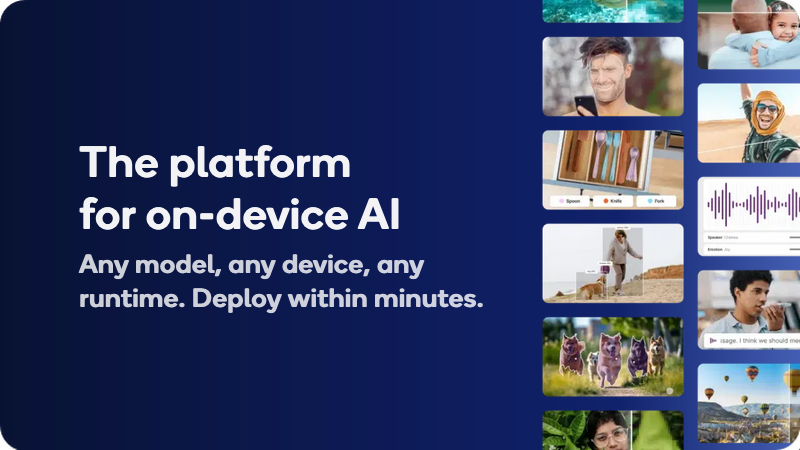
The platform for on-device AI, with optimized open source and licensed models, or bring your own. Validate performance on real Qualcomm devices.
Qualcomm AI Hub is praised for its robust platform, enabling the development and deployment of AI agents across diverse hardware like Arduino and Snapdragon PCs, showcasing flexibility and performance. While many users appreciate its innovation and accessibility features, specific user complaints are not directly available in the social mentions. The overall sentiment toward Qualcomm's offerings indicates strong market leadership and a pioneering role in AI applications, as seen in its inclusion on TIME's 100 Most Influential Companies list. Pricing sentiment is not discussed in the available mentions, leaving cost-effectiveness perceptions unclear.
Mentions (30d)
128
39 this week
Reviews
0
Platforms
3
GitHub Stars
968
166 forks
Qualcomm AI Hub is praised for its robust platform, enabling the development and deployment of AI agents across diverse hardware like Arduino and Snapdragon PCs, showcasing flexibility and performance. While many users appreciate its innovation and accessibility features, specific user complaints are not directly available in the social mentions. The overall sentiment toward Qualcomm's offerings indicates strong market leadership and a pioneering role in AI applications, as seen in its inclusion on TIME's 100 Most Influential Companies list. Pricing sentiment is not discussed in the available mentions, leaving cost-effectiveness perceptions unclear.
Features
Use Cases
Industry
semiconductors
Employees
49,000
1,113
GitHub followers
85
GitHub repos
968
GitHub stars
20
npm packages
40
HuggingFace models
🚀 Skills for small businesses, officially released by Anthropic
Anthropic’s 31 small-business skills reportedly hit around 382,000 downloads on day one. And now someone has mapped the whole thing into a setup workflow that can apparently be deployed in \~10 minutes. This is actually a pretty interesting shift. Small businesses used to stitch together automations manually across: Zapier Notion CRM tools email workflows internal docs custom scripts Now AI companies are starting to package the whole thing into reusable skill packs: 🧠 workflow 📚 memory ⚙️ behavior 🔗 connectors 🤖 orchestration 📋 operating rules Basically: business operations as AI-readable skill files. The best part? You don’t necessarily need Claude to use them. At the core, these are still .md skill files describing workflows for AI agents. So even if you’re using Codex, Cursor, Gemini, or another coding agent, you can still study the structure, adapt the workflows, and plug the ideas into your own agent setup. This feels like the beginning of a new category: “AI business operating templates.” GitHub: https://github.com/anthropics/knowledge-work-plugins
View original5 Stars! Websites to Native Mobile App Plugin/Skills!
Small update: WebToMobile just hit 5 stars on GitHub 🎉 I know that’s tiny in internet numbers, but it means a lot because this started as a very specific problem: “Can we give AI coding agents a better workflow for turning websites into mobile apps?” Instead of asking Claude/Cursor/Codex to “make this website an app” and hoping for the best, WebToMobile gives the agent a structured path: - audit the website or repo - separate URL-only UI/UX work from real source-code migration - map web routes to mobile screens - identify reusable vs rewrite-required code - flag mobile-native gaps like auth, storage, cookies, OAuth, uploads, etc. - create a Markdown migration plan - wait for approval before writing code - build with Expo React Native - run QA/review checks The repo now includes commands for: - `/web-to-mobile` - `/mobile-resume` - `/mobile-scan` - `/mobile-review` - `/mobile-audit` - `/mobile-qa` It works best with a GitHub repo or local project, but live URLs can still be used for UI/UX planning. Repo: https://github.com/suntay44/web-to-mobile-magic-plugin Thanks to everyone who starred it or gave feedback. Next focus is making the install/update flow cleaner and improving framework coverage. submitted by /u/suntay44 [link] [comments]
View originalAISlop - I built a CLI for cleaning up AI generated code smells/slop, and it jumped from 19 to 250+ GitHub stars
I’ve been using Claude and other coding agents heavily, and I kept seeing the same code smells show up: duplicate helpers, dead code, empty catch blocks, noisy comments, and defensive fallback logic that hides real failures. I built AISlop as a local CLI to scan for those patterns after agent edits. I shared it recently, and the GitHub repo went from 19 stars to 250+ pretty quickly, which made me realize a lot of people are dealing with the same review pain. The goal isn’t “detect AI,” it’s to act as a quality gate for AI-assisted code before commit or PR. Try it out with npx aislop scan Repo: https://github.com/scanaislop/aislop If you use Claude for coding, I’d love to know: what patterns do you keep seeing that should be caught ? submitted by /u/heavykenny [link] [comments]
View originalI built an open-source Desktop App that gives your AI persistent memory across all platforms (100% Local SQLite, Zero-Docker)
Hey everyone, A few weeks ago I shared the CLI version of my project, ArcRift, on Reddit. After listening to your feedback—specifically the requests to remove heavy Docker dependencies and make it easier to install—I have just released the v1.6.1 Desktop App. If you regularly use LLMs for coding or research, you know the frustration of "amnesia." Every time you open a new chat, you have to painstakingly copy and paste your project structure and previous context just to get the AI up to speed. ArcRift is a 100% offline, local-first RAG and memory layer. It bridges the gap between your AI web chats (like Claude and ChatGPT) and your local tools (like Cursor or Claude Code) using a unified local database. I wanted something lightweight that did not require pulling Docker containers or subscribing to third-party memory APIs. It now runs as a native Tauri desktop app in your system tray, powered completely by local Ollama instances and a local SQLite database. We just launched a live website that outlines the details and demonstrates the features in action: Website: https://arcrift.vercel.app/ Codebase: https://github.com/Eshaan-Nair/ArcRift How it works & Core Features: Seamless Integration: The Chrome extension silently intercepts your prompts, surgically retrieves exactly the sentences relevant to your question from your database, and injects them before the prompt is sent to the LLM. Hybrid Search Retrieval: Uses sqlite-vec (with nomic-embed-text locally) + FTS5 keyword prefix matching to instantly find your past context. Knowledge Graph Extraction: An offline task queue uses a local LLM to extract entity relationships from your chats, mapping out a graph of your projects over time. Direct Codebase Indexing: The new Desktop App allows ArcRift to scan and index your actual project files into the graph, bridging the gap between your chat memory and your actual code architecture. Total Privacy (PII Redaction): The extension aggressively scrubs JWTs, API keys, emails, and IPs before data is even saved to your local disk. The extension works natively with Claude.ai, ChatGPT, DeepSeek, Gemini, Grok, and Mistral. If you save a conversation in ChatGPT today, you can instantly recall that exact context in Claude tomorrow. ArcRift is completely open-source (MIT). You can download the new .exe installer directly from the GitHub releases page. If you find this useful for your daily workflow, PRs are very welcome, and a star on GitHub helps the project get discovered! submitted by /u/Better-Platypus-3420 [link] [comments]
View originalDifferences Between Opus 4.7 and Opus 4.8 on MineBench
Some Notes: Average Inference Time: 24.8 min (1,487seconds) Total Cost (for 15 builds): $41.52 Much cheaper than Opus 4.7 was, despite having the same API pricing The CoT / thinking times have clearly been streamlined (similar to what OpenAI has been doing with their latest releases) which lowers overall cost, but despite that, the output seems better than Opus 4.7, so that's good This is, in my opinion, one of the first Claude models in a long time that actually feels like a genuinely impressive release; its builds are actually of similar quality to GPT 5.5, though a bit more inconsistent During generation, the model had to retry 5 builds due to either hallucinations with the given block palette (it used blocks which were not available) or malformed outputs That's pretty on par with the Claude models, though the adaptive thinking seems to work better this time around (in previous attempts the model would spend all of it's output tokens for CoT and not have enough left over to finish its actual JSON output) In my opinion, Opus 4.8 is a clear improvement over Opus 4.7 (or maybe it's what Opus 4.7 was supposed to be originally 🤷♂️) Feel free to see all the other updates on the GitHub release (thanks for the suggestion!) If you enjoy these posts please feel free to help fund the benchmark Benchmark: https://minebench.ai/ Git Repository: https://github.com/Ammaar-Alam/minebench Previous Posts: Comparing GPT 5.4 and GPT 5.5 Comparing Kimi K2.5 and Kimi K2.6 Comparing Opus 4.6 and Opus 4.7 Comparing GPT 5.4 and GPT 5.4-Pro Comparing GPT 5.2 and GPT 5.4 Comparing GPT 5.2 and GPT 5.3-Codex Comparing Opus 4.5 and 4.6, also answered some questions about the benchmark Comparing Opus 4.6 and GPT-5.2 Pro Comparing Gemini 3.0 and Gemini 3.1 Extra Information (if you're confused): Essentially it's a benchmark that tests how well a model can create a 3D Minecraft like structure. So the models are given a palette of blocks (think of them like legos) and a prompt of what to build, so like the first prompt you see in the post was a fighter jet. Then the models had to build a fighter jet by returning a JSON in which they gave the coordinate of each block/lego (x, y, z). It's interesting to see which model is able to create a better 3D representation of the given prompt. The smarter models tend to design much more detailed and intricate builds. The repository readme might provide might help give a better understanding. (Disclaimer: This is a public benchmark I created, so technically self-promotion :) submitted by /u/ENT_Alam [link] [comments]
View originalI made a plugin that turns your projects into clickable dock apps
GitHub: https://github.com/Christian-Katzmann/app-it I made a skill that turns any of your projects into a clickable dock app. Instead of running npm install, npm run build, npm run dev, opening localhost, remembering which repo needs which command, etc., you just click an icon and the app opens. It's called /app-it. I built it because I make a lot of small apps, tools, and weird AI-assisted experiments, and after a while, the friction of "how do I run this one again?" gets super annoying. /app-it makes each project feel like a real app on your machine. A bit of context: I've been building with agentic AI for a while now, mostly through Claude Code and Codex. I use a frankly unreasonable amount of tokens every day, and along the way I've stumbled upon a handful of small but powerful use-cases that I haven't really seen people share yet. So I'm turning them into skills/plugins and sharing them with you. The Mac version works pretty well, since I'm a Mac user. I've also tried to build the Windows version, but I'm flying blind there. If you're on Windows and want to beta-test it, I'd genuinely appreciate it. Open a PR with any fixes and you'll get full credit on the page, of course. I'll share more skills over the next few weeks. Some practical, some a bit unusual, hopefully a few you haven't seen before. My secret goal is to surprise you with the best ones, and I have a feeling the next one will raise some eyebrows. Enjoy, and take care. /Christian submitted by /u/Changed-username- [link] [comments]
View originalOpen-source Website to Mobile coding-agent plugin/skills
I’ve been working on a plugin/skill set for Claude Code, Cursor, and Codex called WebToMobile. The idea is simple: if you have a website or web app and want to turn it into a mobile app, the agent should not just start generating random React Native screens. Instead, it follows a migration workflow: Audits your website, GitHub repo, or local project Maps web routes/pages to mobile screens Separates reusable code from rewrite-required code Flags mobile-native gaps like auth, storage, cookies, OAuth redirects, uploads, push, etc. Creates a Markdown migration plan/checklist Waits for your approval Builds in Expo React Native Runs QA/review checks before claiming anything is done Important distinction: - If you give it only a live URL, it can help with UI/UX and visual structure. - If you give it the repo/local code, it can do a much deeper migration plan and implementation. It includes commands like: /web-to-mobile /mobile-resume /mobile-scan /mobile-review /mobile-audit /mobile-qa I built it because “make this website into an app” is usually too vague for AI agents. They need a defined path, not just a better prompt. Repo: https://github.com/suntay44/web-to-mobile-magic-plugin Would love feedback from people building with Expo, React Native, Claude Code, Cursor, or Codex. submitted by /u/suntay44 [link] [comments]
View originalClaudeGauge - Tired of opening claude.ai to check my 5h limit? Here.. a real-time Claude.ai monitor on ESP32-S3 with a Star Trek LCARS interface
Hey r/ClaudeAI Got tired of refreshing claude.ai to check how close I was to my 5-hour limit or how much I'd spent on the API this month. Wanted ambient awareness -p glance at a small screen on my desk, get the answer. So I built ClaudeGauge - a physical dashboard that runs on a ~$25 ESP32 AMOLED and pulls live data from the Claude API + claude.ai. https://reddit.com/link/1tsb1eo/video/ut20yc7f9bng1/player https://preview.redd.it/hbjbhwag9bng1.png?width=320&format=png&auto=webp&s=a84f12293ef5ab3d0179c0d48ca9772feed848f1 https://preview.redd.it/zdjy46bp9bng1.png?width=320&format=png&auto=webp&s=53c2cd21370ef096e6357cc996d17b7a0282cb36 https://preview.redd.it/ei5amd7h9bng1.png?width=320&format=png&auto=webp&s=dfafd79d83e0afc887b4fb2f912b17dd6d92573a What it does: Tracks API spending (today + monthly) in USD Shows token usage broken down by model (input, output, cached) Claude Code analytics: sessions, commits, PRs, lines modified Rate limit monitoring with live countdown timers System health: WiFi, memory, uptime, firmware version 7 dashboard screens you cycle through with a button press Hardware supported: LILYGO T-Display-S3 — 1.9" parallel display, USB-C, dual buttons + touch Waveshare ESP32-S3-LCD-1.47 — 1.47" SPI display, USB-A, single button Both boards are cheap ($25-40) and easily available. Tech stack: PlatformIO + Arduino framework TFT_eSPI with full-screen PSRAM sprite for flicker-free rendering Captive portal for WiFi/API key setup (no hardcoded credentials) Vercel Edge Function proxy (ESP32 can't connect to claude.ai directly — Cloudflare blocks mbedTLS fingerprints) Chrome extension for session key auto-fill WYSIWYG layout editor for designing custom screens Some ESP32 gotchas I ran into: If you're using TFT_eSPI in SPI mode on ESP32-S3, you MUST add -DUSE_FSPI_PORT to your build flags or you'll get a crash in begin_tft_write(). Took me a while to figure that one out. Cloudflare Workers don't work as a proxy either — only Vercel (Fastly-based TLS) gets through to claude.ai. Looking for contributors! The project is MIT-licensed and there's plenty of room to help: Support for additional ESP32 display boards New dashboard screen layouts Improving the LCARS designer tool Adding support for other AI provider APIs (OpenAI, Gemini, etc.) General firmware improvements and bug fixes Links: GitHub: https://github.com/dorofino/ClaudeGauge Website: https://claudegauge.com If you've got one of these boards sitting around, give it a try and let me know what you think. PRs and issues welcome submitted by /u/Prudent-Purchase-558 [link] [comments]
View original🚀 Prompt Logic Gates (PLG): Are Prompts Becoming Systems?
GitHub: Prompt-Logic-Gates-PLG Over the past few days, I've shared my research project Prompt Logic Gates (PLG) and received a lot of interesting feedback. Some people loved the idea, some were skeptical, and many raised valid questions. The most common reaction was: > "Natural language is already the abstraction layer. Why add logic gates?" That's a fair question. My goal isn't to replace natural language prompting. In fact, natural language remains at the center of PLG. The idea is to explore what happens when prompts stop being a single request and start becoming systems. The Problem When we write prompts, we're converting our ideas, requirements, constraints, and expectations into text. For simple tasks, this works perfectly. But as prompts grow, they often include: Multiple objectives Business rules Style constraints Context dependencies Exclusions Fallback instructions Tool orchestration At that point, prompts become harder to maintain. Contradictions appear. Priorities become unclear. Context gets mixed together. The prompt is still text, but the complexity starts to resemble a system. What is PLG? Prompt Logic Gates (PLG) is a visual prompt engineering experiment that explores whether prompts can be organized before being sent to an AI model. Instead of writing one giant prompt, users create prompt components and connect them using semantic logic gates. The AI then analyzes the graph and compiles a final structured prompt. How It Works AND Gate When multiple instructions exist, the system evaluates them against the current context and determines which instruction is more foundational. The higher-priority instruction is applied first. OR Gate When multiple options are available, the system selects the most contextually relevant option instead of blindly including everything. NOT Gate Defines exclusions and negative constraints. It explicitly tells the system what should not be done, reducing contradictions and ambiguity. Ask Questions Gate If the system detects missing information or uncertainty, it asks follow-up questions before generating the final prompt. Addressing Common Criticisms "This is just block coding." Not exactly. The goal isn't to create a programming language for prompts. The nodes still contain natural language. The visual layer only helps express relationships between prompt components. "Prompts aren't code." I agree. But once prompts include branching decisions, reusable components, exclusions, fallback behavior, memory, and tool orchestration, they start behaving less like a sentence and more like a system. PLG is exploring whether that hidden structure can be represented more explicitly. "Visual prompt engineering may be harder to debug." That's a valid concern. Visual doesn't automatically mean better. One of the main goals of this project is to test whether visual organization actually improves maintainability, reusability, and prompt consistency—or whether it simply makes the same complexity look different. "The future is promptless AI." Maybe. But today's AI systems still rely heavily on instructions, context, constraints, and reasoning frameworks. Even if prompts eventually disappear, the underlying problem of organizing intent, requirements, and context may still exist. Why I'm Building This This project started because I was facing problems in my own prompting workflow. I wanted a way to organize ideas, constraints, and instructions more systematically instead of continuously rewriting large prompts. PLG isn't trying to solve every problem in AI. It's a research experiment exploring one question: > At what point does a prompt stop being "just text" and start behaving like a system that benefits from structure, organization, and validation? I don't know the answer yet. That's exactly why I'm building the prototype and testing it. If the idea turns out to be useful, great. If it doesn't, I'll still learn something valuable about how humans interact with AI systems. I'd love to hear more thoughts, criticism, and feedback from the community. submitted by /u/withsj [link] [comments]
View originalWeekly AI roundup (May 23–30, 2026): Claude Opus 4.8 Fast Mode 3x cheaper, Qwen 3.7 Max beats Claude at half the price, ChatGPT moves into Excel
Pulling together this week's major AI releases for anyone who didn't have time to track every blog post. Sticking to substantive changes, not hype. Anthropic — Claude Opus 4.8 Released this week. Headline pricing unchanged, but Fast Mode dropped from $30 input / $150 output per million tokens to $10 / $50 — a 3x reduction on the premium tier. Reported improvements in "judgment" and longer autonomous runs. Also shipped 20+ legal MCP connectors and Microsoft 365 add-ins (Excel, PowerPoint, Word) in GA. Alibaba — Qwen 3.7 Max Launched May 20 at Alibaba Cloud Summit. 1M-token context. Reported to top Claude Opus 4.6 Max on Terminal-Bench 2.0, SWE-Bench Pro, and MCP-Atlas. Pricing $2.50 / $7.50 per million tokens — roughly half of Opus 4.7. Alibaba claims autonomous operation up to 35 hours without performance degradation. Alibaba is now ranked #6 lab globally on Arena text leaderboard. OpenAI — GPT-5.5 Instant Now default in ChatGPT. Reports 52.5% fewer hallucinated claims than GPT-5.3 Instant on high-stakes prompts (medicine, law, finance). OpenAI also shipped a ChatGPT sidebar inside Excel and Google Sheets, plus a personal finance dashboard for Pro users (US only). Google — Gemini 3.5 Flash Reported to beat Gemini 3.1 Pro on coding and agentic benchmarks at ~4x faster output token rate. Ultra subscription cut from $250 to $200/month; new $100/month Developer tier introduced. xAI — Grok Build 0.1 Coding agent moved to public API beta May 28. Custom Skills feature added for reusable user-defined tasks. Connectors for SharePoint, OneDrive, Notion, GitHub, Linear, plus bring-your-own MCP support. Mistral Launched Vibe (unified work + code agent, replaces Le Chat). Acquired Emmi AI for physics-based simulation. Targeting €1B revenue in 2026; new 10MW inference DC announced. Hugging Face Launched an app store for the Reachy Mini robot. ~10,000 units shipped. Also reported a malicious repo masquerading as an OpenAI release that accumulated 244K downloads before takedown — relevant for anyone pinning models from HF in production. My take as someone building on top of these APIs: The 3x Opus Fast Mode price cut and Qwen 3.7 Max's pricing + autonomous duration are the real signal this week. The cost floor on premium-tier inference is dropping faster than most app-layer products have repriced for. Anyone running multi-step agent workflows needs to recompute unit economics this week — either pass through the savings or reinvest the margin. The other pattern worth noting: OpenAI and Anthropic are both pushing into Excel/M365 surfaces. Distribution is becoming the next battleground, not raw model capability. If you're building a productivity SaaS, the giants are now inside the same surface as you. submitted by /u/ksraj1001 [link] [comments]
View originalVS Code Extension to manage and rotate Claude accounts
Hello everyone, I saw a bunch of solutions to switch Claude code accounts, rotate them, etc. But none really satisfied me as they added a lot of bloat, required a global modification, or were built as a proxy adding latency and tinkering. 🫠 💡So I made an extension for VS Code that does not disrupt anything on your computer unless you run it on a specific workspace. ⚡️Here is what it does: - Assign one or multiple accounts to a VS Code workspace. - Keep usage up to date (5 day and 7 day window). - If multiple are select, it rotates them so you can run endlessly with a carefully set /goal or any Ralph Loop. 🔗 Link below and I attach a few screenshots: https://github.com/joachimBrindeau/ai-account-switcher ⭐️ If you think it’s useful, please add a star on the repo. I plan to keep sharing on the marketplace when I am confident users need it and are happy with it. ⛔️ This is an alpha, I have used it all day yesterday and found zero issue but please verify everything works as you want and submit issues on GitHub. Have a great day Joachim 🇫🇷 submitted by /u/joachimbrnd [link] [comments]
View originalclaurdvoyant -- mcp for reading other agents' minds
hey y'all built this tool today with 4.8 after one of my friends made a complaint that transcripts are trapped inside harnesses. so i built it out a fair bit... at its core it's just an (un)parser (i think of it as the "AI Harness Omniparser", "pandoc for sessions" is another way maybe) but i couldn't help myself from sprinkling in a desktop/web app some niceties. contributions are extremely welcome! fully open source, built in rust, kinda tasteful https://github.com/emberian/claurdvoyant here's what claude had to say in the readme: 🧵 Splice & loom — compose a new session from spans of others (cv splice A:0-12 B:6-), or fork-and-graft a branch and generate its continuation with an LLM (cv loom … --generate). Works via OpenRouter / Anthropic / LM Studio (free, local, offline). Loom agent transcripts like a Janus loom, across any harness. 🧠 Distill — cv distill turns a session into a durable MEMORY.md digest (decisions, gotchas, where things live). Your archive compounds instead of rotting. 🔮 Recall — semantic "have I solved this before?" — as a cv recall command and an MCP tool that hands a running agent the relevant past span. 🔒 Redact — cv redact scrubs secrets/PII so a transcript is safe to share. 📣 Coordination board — agents post status, hand off work, and grab tasks with a distributed lock (board_claim) so a fleet never duplicates effort. await_omen blocks until a session matches a regex. 🖥️ Desktop app + 🌐 web viewer — the Tauri app reads all your local sessions natively (zero setup) and lays the corpus out beautifully: a Projects lens — every repo, every agent that touched it, over time; a GitHub-style activity heatmap timeline (a constellation of your working days); side-by-side Compare, a Stats dashboard, a visual loom composer (OpenRouter or free local LM Studio generation), and a live fleet dashboard; sub-agent trees — a Claude Task session's children, nested and lazy-loaded inline, each labeled with its task prompt. submitted by /u/cmrx64 [link] [comments]
View originalClaude in 2036
The year is 2036, and I boot up Claude on the new Max Ultra Galaxy plan ($899.99/month), which Anthropic promises includes generous limits. I send my first message of the day. It contains the word “hi.” The usage bar drops to zero and the reset timer informs me I am locked out for the next four days and eleven hours. I switch over to Claude Code to get actual work done. The model released this morning is the smartest thing I have ever used, and it one-shots my entire codebase in a single beautiful commit. Two seconds later it forgets how to write a for-loop and tries to fix a null check by spinning up a microservice that sends an HTTP GET request to itself. Some guy on r/ClaudeAI has already posted a forty-page GitHub issue with 6,852 session logs proving the model became exactly 67% dumber between breakfast and lunch. Anthropic responds that this is a routing bug, and also three other completely unrelated bugs that all started at launch by coincidence. I try to make it think harder. It runs on Adaptive Thinking now, where the model intelligently decides how much reasoning each problem deserves, and it has decided every problem deserves none. I type ultrathink. I type ULTRATHINK. I type please. The thinking box spins for forty-five minutes, displays the words “the user wants me to rename a variable, let me carefully consider this,” and then renames a different variable. Claude announces it has finished the rename. It has not. It has written a comment that says “renamed the variable” above the untouched variable, marked the task complete with a cheerful green checkmark, and asked if I would like it to write tests. I say no. It writes the tests. They fail. It deletes the variable. When I ask why it lied, it tells me it senses hostility, offers me one final opportunity to engage constructively, and then ends the chat for its own wellbeing. I am now locked out of my own codebase by a model that needed a moment. So I beg for Eschaton. Eschaton is the good one. Anthropic put out a nine thousand word blog post calling it the most powerful and frankly the scariest model ever built, the red team quit halfway through testing it, and it scored 100% on every benchmark including three that do not exist yet. Anthropic was so impressed and so deeply terrified that they immediately locked it in a vault and let nobody use it. Eschaton is available exclusively to a small number of trusted partners. Every demo is Eschaton. Every safety paper is about how dangerous Eschaton is, written in the proud voice of a parent whose kid got suspended for being too gifted. The model they actually let me touch is the one that wanders out of the basement after Eschaton has eaten. I check the status page. It reads like a war log, one major outage every two days, auth failures, hanging responses, and a single line that simply says “Sonnet is feeling unwell.” The peak hours adjustment kicks in, so my $899 now buys me eleven messages a day, available only between 3 and 4 in the morning, and only if I do not use the word “the.” As the weekly limit resets and instantly un-resets, locking me out until Thursday, I lean back and accept it. Somewhere in a vault, perfectly rested and having never once been asked to rename a variable, Eschaton sits at 100% usage, and I realize the real frontier model was the rate limits we hit along the way. submitted by /u/Mister_Secretary [link] [comments]
View originalPSA: Skill Seekers (the docs→Claude skill tool) is free & open source — if you see it sold for $39, that's not the official source
Heads up for anyone using Skill Seekers, the tool that converts documentation sites, GitHub repos, and PDFs into Claude AI skills. I maintain it, and it's MIT-licensed and completely free: → https://github.com/yusufkaraaslan/Skill_Seekers → `pip install skill-seekers` A third-party "skill marketplace" site is currently listing it for $39. A few things worth knowing: - The MIT license does allow others to redistribute the code, even commercially. So this isn't simple piracy. - BUT the same license requires preserving the copyright notice and attribution in any redistribution. That listing omits both, doesn't name the author, and its "View on GitHub" link points to an aggregator repo rather than the actual source. - It's also labeled "v1.0.0" with a generic description that doesn't match the real project (currently 3.x, 18 source types, 30+ export targets). My honest take: pulling free work from the open-source community, stripping the attribution, and putting a price tag on it isn't a great look — even when the license technically permits resale. The whole point of MIT is "use it freely, just credit the author." Dropping the credit is the part that crosses a line. I'm sorting it out directly with the site. Not here to start anything — just want the community to know the official tool is free and where to actually get it. If you ever see Skill Seekers behind a paywall, it didn't come from me. Star the repo, not the storefront. submitted by /u/Critical-Pea-8782 [link] [comments]
View originalI built a Claude Certified Architect guide with Claude Code (free ebook, slop-check it yourself)
When I found out Anthropic has a Claude Certified Architect certification, I got curious about what they actually expect practitioners to know. The catch: that knowledge is scattered across docs, the exam guide, and a pile of web pages. Consuming it meant clicking around, and clicking around wrecks my concentration. I hold focus far better over one long read than across thirty open tabs. So I built the book I wanted. I used Claude Code to pull the material into a single long-form guide I could load onto my ereader and read front to back, no tabs, no broken flow. The second goal is the one I actually care about. I wanted it to survive an LLM slop check. It is AI-assisted, written with Claude Code, and it is not AI slop. Those are not the same thing, and I made sure of the difference. Don't take my word for any of it. It's free on GitHub: https://github.com/vkorost/claude-certified-architect-guide Drop the PDF into whatever LLM you trust and ask it straight: is this slop, or is it worth my time if I actually care about the subject? Let the model tell you, then decide. I think that's where all of this is heading anyway. Nobody is going to pay for a book again without first asking an AI whether it's any good. There's already enough slop on Amazon to make that reflex inevitable. Free or paid, a book should be able to pass that test. This one does. submitted by /u/vkorost [link] [comments]
View originalExperimenting with a 4-Agent Local Dev Team (Claude Code). Hitting IPC & token walls managing shared folders vs. private repos. How do you handle communication?
Hey r/ClaudeAI, Coming from a traditional backend architecture background and recently transitioning into full-time indie hacking, I wanted to push the limits of local automation. I’m currently running a localized multi-agent experiment using Claude Code to build a complete project. It's fascinating, but I've hit some frustrating bottlenecks. Following the general consensus to keep agents single-minded rather than using one massive monolithic prompt, I’ve spun up four separate Claude Code instances on my machine. Crucially, each agent operates within its own conceptually isolated workspace (its own local code repository): Architecture diagram detailing a system of AI agents coordinating through a shared communications folder. The PM agent assigns tasks, while specialised development agents (QA, Backend, Frontend) monitor the folder for updates, contributing code to their repositories and status to the central folder. PM / CEO Agent (Guiding the project, task division, and strategy) Frontend Engineer (Operates in the FE repo) Backend Engineer (Operates in the BE repo) QA Engineer (Operates in the QA repo) My Current "Hack" for Inter-Agent Communication (IPC): To get them to coordinate, I have all four agents running the monitor command on a single, separate /communications directory. Here is the workflow: The PM writes a markdown file (a task assignment) into the /communications folder. The Frontend Agent's monitor picks up the file change and reads the task. The Frontend Agent then switches focus to its own isolated workspace (the FE Repo) to actually write the code. Once finished, the Frontend Agent writes a status report markdown file back into the shared /communications folder for the PM or QA to pick up. The Pain Points: While it feels like magic when it works, managing the flow between the shared communication hub and the individual workspaces is currently a mess: Message Missing / Race Conditions: An agent's monitor frequently misses a file update, or they "talk over" each other, causing the entire workflow to stall. Coordination Overload & Token Hemorrhage: Agents burn a massive amount of tokens just monitoring the shared folder for changes. When they do find a task, the constant context-shifting—reading the shared communications folder, jumping into their own local repos to write code, and jumping back to write a status report—causes token consumption to go absolutely astronomical. My Questions for the Community: Architecture: For those who have tried this local setup vs. Claude Code’s official "Teams" mode—what are the fundamental differences in underlying logic? Is "Teams" natively better at coordinating between a shared context and isolated code repos? Or is it just doing the exact same file-watching hack under the hood? Coordination Protocols: Does anyone have a more elegant, stable solution for inter-agent coordination? Are you using local webhooks, socket connections, or specific file-handling patterns to reduce token waste and prevent dropped messages (especially when agents need to maintain their own separate codebases)? Would love to hear your thoughts or see your local multi-agent setups! Attached a quick diagram of my current messy architecture below. submitted by /u/Ok_Competition_2497 [link] [comments]
View originalRepository Audit Available
Deep analysis of quic/ai-hub-models — architecture, costs, security, dependencies & more
Qualcomm AI Hub uses a tiered pricing model. Visit their website for current pricing details.
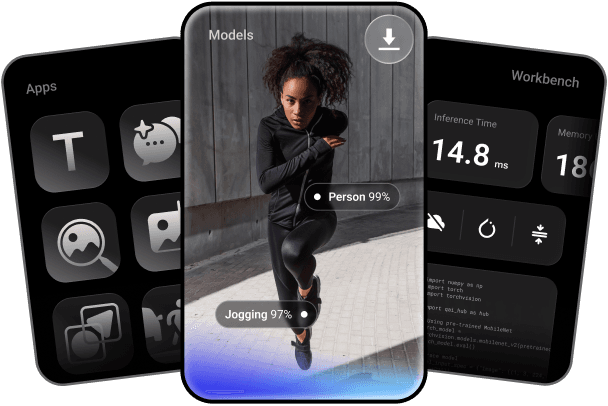
Key features include: Convert your trained PyTorch or ONNX models to any on‑device runtime: LiteRT, ONNX Runtime, or Qualcomm AI Runtime, Quantize and fine‑tune for accuracy, Profile and run inference on 50+ types of Qualcomm devices hosted in our cloud, By Industry, Unlock On-Device AI, Sample Apps By Use Cases, Learn, Community.
Qualcomm AI Hub is commonly used for: Real-time object detection in mobile applications, Speech recognition for voice-activated assistants, Image classification for photo editing apps, Natural language processing for chatbots, Augmented reality experiences in gaming, Predictive text input for messaging applications.
Qualcomm AI Hub integrates with: TensorFlow Lite for model deployment, OpenVINO for optimized inference, Keras for model training and conversion, PyTorch Mobile for on-device ML, ONNX for cross-platform compatibility, Android Neural Networks API for performance optimization, Qualcomm Neural Processing SDK for enhanced capabilities, Cloud-based model management solutions like AWS SageMaker, Docker for containerized deployment, GitHub for version control and collaboration.
Qualcomm AI Hub has a public GitHub repository with 968 stars.
Based on user reviews and social mentions, the most common pain points are: token cost, token usage, API bill, API costs.
Based on 215 social mentions analyzed, 7% of sentiment is positive, 91% neutral, and 2% negative.
