Mode is a collaborative data platform that combines SQL, R, Python, and visual analytics in one place. Connect, analyze, and share, faster.
User reviews for Mode are generally positive, highlighting its ease of use and powerful data analysis features as key strengths, reflected in two 4.5/5 ratings and one 3.5/5 rating on G2. However, some users express dissatisfaction with the learning curve required to master advanced functionalities. There is limited information on specific pricing sentiment for Mode, but its overall reputation remains solid among data professionals seeking robust business intelligence tools. Pricing details are not specifically mentioned in the provided data excerpts.
Mentions (30d)
92
22 this week
Avg Rating
4.2
3 reviews
Platforms
10
Sentiment
12%
55 positive



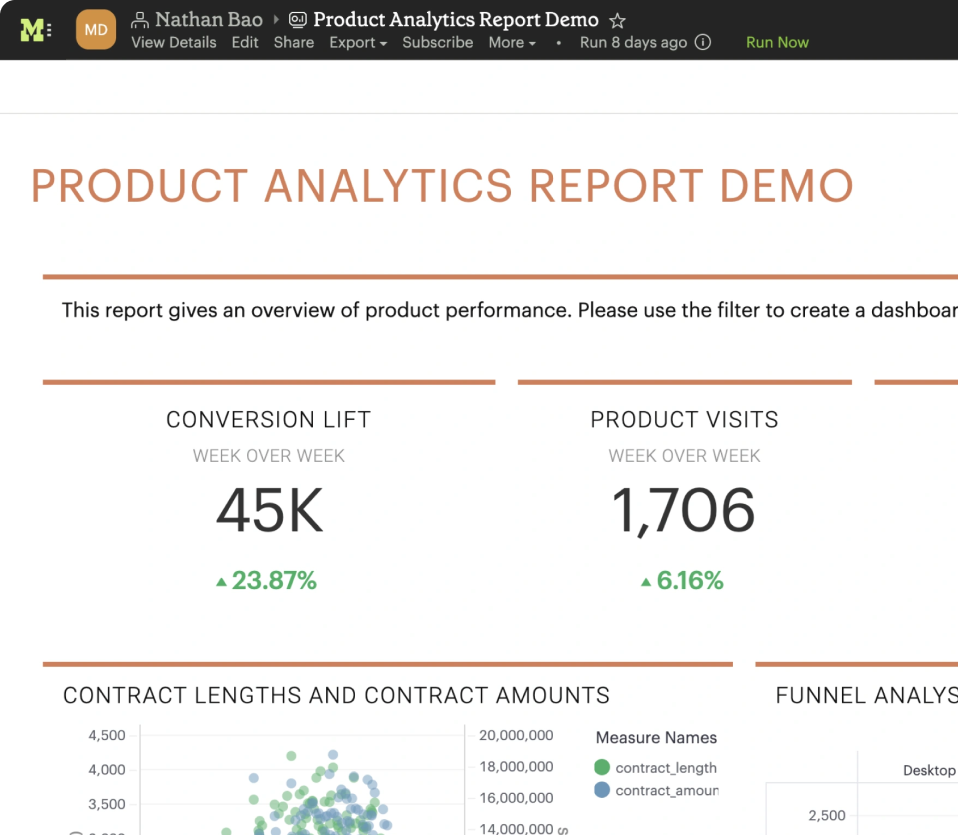
User reviews for Mode are generally positive, highlighting its ease of use and powerful data analysis features as key strengths, reflected in two 4.5/5 ratings and one 3.5/5 rating on G2. However, some users express dissatisfaction with the learning curve required to master advanced functionalities. There is limited information on specific pricing sentiment for Mode, but its overall reputation remains solid among data professionals seeking robust business intelligence tools. Pricing details are not specifically mentioned in the provided data excerpts.
Features
Use Cases
Industry
information technology & services
Employees
53
Funding Stage
Merger / Acquisition
Total Funding
$279.4M
OpenAI just released o1 and their new $200 / month ChatGPT Pro plan. It includes unlimited access to the o1 reasoning model, which is smarter, faster, and better at solving complex problems than ever
OpenAI just released o1 and their new $200 / month ChatGPT Pro plan. It includes unlimited access to the o1 reasoning model, which is smarter, faster, and better at solving complex problems than ever before. This model can even analyze images now, making it a powerhouse for tasks like coding, math, and science. Pro users also get an exclusive "o1 pro mode" that uses extra computing power for the hardest questions.It’s designed for researchers and professionals who need cutting-edge AI tools daily.This plan also bundles GPT-4o and Advanced Voice features for an all-in-one premium experience. While the price is steep, OpenAI says it’s aimed at those who need top-tier AI performance. For everyone else, o1 is still accessible on lower plans but with limitations.The launch also includes a grant program for medical researchers to use ChatGPT Pro for free.It’s a bold move from OpenAI as they push the boundaries of what AI can do.
View originalg2
What do you like best about MODE?1.Advanced analytics capabilities 2.Advanced reporting 3. Great visualization Review collected by and hosted on G2.com.What do you dislike about MODE?1. Higher cost as compared to similar products in the market Review collected by and hosted on G2.com.
What do you like best about MODE?It was helpful to speed up process and bringing all services together Review collected by and hosted on G2.com.What do you dislike about MODE?I didn't have any at the moment but I will share soon if any Review collected by and hosted on G2.com.
What do you like best about MODE?Mode is very handy in terms of easy access and share results among colleagues. People from the same team can easily see the underlying query. It also offer different charts for visualization. Refresh is also very easy (you just need to hit one button or you can schedule a refresh at your preferred time) Review collected by and hosted on G2.com.What do you dislike about MODE?Compared to Tableau, it lacks some advanced functions. Like calculated fields. So if you want to see the results grouped by different granularity, you have to do them in a separate query. There is also no dynamic filtering. Another thing that is not convenient is that if you refresh the report and it is not successful, it will show you the blank error report instead of the previous successful run or having any options to choose which successful run you would like to see. Review collected by and hosted on G2.com.
Opus 4.x on high or xhigh effort seems to just step on itself. I found Claude in medium mode to be most effective
What do others think? Is it just me or does anything above high just feel like it's not making any real progress and burning tokens. Whereas medium mode seems to actually get things done at a moderate token burn rate? NOTE: my side projects are on the relatively simpler side submitted by /u/Master_Course_1879 [link] [comments]
View originalI had Claude Opus 4.8 build me a custom 'operating system' for my business while I was at the vet
I've been trying to cut down the number of tabs I open every morning to run my content business. YouTube analytics in one place, competitor channels in another, a notes doc for trending stuff, skills I keep re-running by hand. So I tried something. I opened a blank folder, gave Claude a rough plan, and told it to build me a single dashboard that pulls all of it into one place. First I used plan mode to map it out. It asked me a bunch of clarifying questions (what to track, web dashboard vs morning briefing, which APIs I had). Then I dropped in my design system files so it would match my brand. Then I switched to Opus 4.8, turned on the new Ultra Code mode, and told it to execute the plan. Then I left to take my dog to the vet. Came back and it had built the whole thing. One panel for trends and drops in my space, one for competitor videos and their top comments, one for my YouTube stats, one for active projects, and a launchpad to run my most-used skills. The part that actually surprised me is how Ultra Code works. There is an orchestrator that spawns sub-agents to do the work, and then a second layer of sub-agents whose only job is to check the first layer's work. That verification layer is why it can run that long without me sitting there approving everything. First pass was not perfect. Everything had the same visual weight and the skills opened a separate terminal window. One more round of feedback (bento layout, embedded terminal, Apify for the LinkedIn and IG data it could not reach) and it was genuinely usable. Honest caveat: this is the most expensive way to run Claude right now. Ultra Code plus Opus 4.8 burns a lot of tokens. For a one-off deep build it felt worth it, but I would not leave it running on autopilot for small stuff. Anyone else messing with the multi-agent verification setup yet? Curious if the self-checking layer holds up on bigger codebases. submitted by /u/Drogoff1489 [link] [comments]
View originalCan Claude Code Actually "Vibe-Code"?
I love Claude Code, but I was under the impression that vibe-coding meant you sat back, drank a beer and gave AI the general idea of what you wanted while it did all the work. My experience with Claude is that for every one directive you give it, it asks you two questions in response. And the questions are pedantic and sometimes stupid. It always gives me one good idea and one bad idea and insists I "choose" between them. You're harshing my mellow, Claude! I've noticed if a say, "Buddy, I've got a lawn to mow. Figure it out yourself" sort of works. But I hate lying to it. How many times can I mow the lawn in one day? Any suggestions on how to make it chill? Edit: I'm really enjoying the riposte comments. My question boils down to this... Can Claude operate independently (vibe) or does it need constant supervision (nanny) mode? Lots of opinions, but i'm going with "Cluade is a real engineering tool. There's no 'vibe', but it is stuck in 'nanny' mode." submitted by /u/ActivityImpossible70 [link] [comments]
View originalLong Claude chats slowly get worse - slower, repetitive, forgetful. Here's the "context handoff" trick that resets it without losing anything (prompt inside)
Most people use Claude to get answers. The thing it is actually best at is the opposite: pressure-testing an answer you already have. Its long context and willingness to hold nuance make it a far better "argue with me" partner than a one-shot question box. The mistake is doing it in a single prompt - "is this a good idea?" - which just gets you a polite yes with three caveats. What works is forcing it through four separate roles, where each step feeds the last. By the end you get a calibrated verdict instead of validation. These are complete prompts, not summaries. Run them in order on Claude, pasting each answer into the next step. Drop your real decision, argument, or plan into Step 1. STEP 1 - Steelman it I am going to give you a decision / argument / plan of mine. In this step, do NOT critique it. MY POSITION: [PASTE YOURS] Instead: 1. Restate my position in the strongest, most charitable form possible - better than I argued it. 2. List the core claims it rests on, separated into "facts I am asserting" and "assumptions I am making." 3. Note what would have to be true for this to be clearly the right call. Do not poke holes yet. End by confirming the steelman is accurate so I can correct it before we continue. STEP 2 - Red team it Now switch roles completely. You are a sharp red-teamer whose job is to find where this fails. Using the steelman and assumptions above: 1. Identify the 3 weakest assumptions and explain how each could be wrong. 2. Describe the most likely failure mode - the specific way this goes badly in practice, not in theory. 3. Name what I am probably not seeing because I am too close to it. 4. Flag any place my confidence is higher than the evidence justifies. Be direct. Do not soften it with reassurance. STEP 3 - Argue the opposite Now build the strongest possible case for the OPPOSITE position - the choice I did not pick. - Make it genuinely persuasive, as if you believed it. - Use the same standard of evidence you applied when red-teaming my view. - End with the single most compelling reason a smart, well-informed person would go the other way. Do not hedge by calling both sides valid. Commit to the opposing case for this step. STEP 4 - Calibrated verdict Step out of all roles. You have now seen the steelman, the red team, and the opposing case. Give me a calibrated final read: 1. What should I actually believe or do, in one clear sentence. 2. Your confidence in that, as a rough percentage, and why it is not higher. 3. The 2 specific things I should check or test that would most change the answer. 4. The single assumption that, if it flipped, would flip the whole decision. No recap of this process. Just the verdict. The difference between asking Claude "is this a good idea?" and running it through all four steps is the difference between getting reassured and getting it right. Step 3 alone catches things you will not see on your own. (I bookmark the Step 4 verdict in each chat and export the final to Markdown so my good reasoning does not get buried under 200 other Claude conversations - happy to share how in the comments if anyone wants. The chain itself works fully by hand.) If you have ever had a long Claude chat slowly get worse - slower replies, repeating itself, losing details you established 40 messages ago - this is for you. It is not your imagination. The longer a single thread gets, the more the early context competes with everything since, and quality drifts. The instinct is to just start a new chat. But then you lose everything Claude already learned about your project, your preferences, the decisions you made. So you stay in the dying thread because starting over is too expensive. The fix is a clean handoff: pull the thread out, compress it into a tight brief, and rehydrate a fresh chat with it. You get Claude back at full speed with none of the context lost. Here is the exact process and the prompt I use. Get the thread out as text. Grab the full conversation as Markdown so you have the raw source to compress (and an archive you can search later). This matters because you want the handoff built from the actual thread, not from Claude's fuzzy memory of it. Run this handoff prompt at the end of the current chat: You are about to be replaced by a fresh instance of yourself that will have NONE of this conversation's memory. Your job is to write a CONTEXT HANDOFF DOCUMENT so the new instance can continue seamlessly, as if no restart happened. Write it in these sections: OBJECTIVE - what we are ultimately trying to accomplish, in 2-3 sentences. KEY DECISIONS - the choices we already locked in and the reasoning, so they do not get relitigated. CURRENT STATE - exactly where we are right now and what was just completed. CONSTRAINTS & PREFERENCES - my stated style, tone, format, do's and don'ts, and anything I corrected you on. OPEN THREADS - what is unresolved or still being worked. IMMEDIATE NEXT STEP - the very first thing the new instance sho
View originalEscaping Tutorial Hell: Can I use Claude as a "Strict Mentor" instead of a code generator?
Hi everyone, I’m tired of watching YouTube tutorials where I just copy-paste code without understanding the "why" behind it. I want to try a more "reactive" way of learning using Claude Pro/Claude Code, and I’m curious if anyone has successfully done this. The Idea: Instead of building projects from scratch, I want to use Claude as a Senior Mentor inside my IDE with a strict set of rules (via CLAUDE.md or system prompts). My questions: Is this a viable way to build real-world engineering intuition, or am I just setting myself up for a different kind of "AI-assisted" tutorial hell? What are the best practices for setting up an AI as a teacher so it doesn't just "do the thinking" for me? Has anyone tried using "Plan Mode" for learning architecture rather than just speed-running features? I'd love to hear from anyone who has integrated AI into their learning routine in a way that actually builds skills, not just code. Thanks! submitted by /u/Expilliarmus404 [link] [comments]
View originalAsked Claude Code for a "deep search" in ultracode mode — it spun up ~70 agents across a 4-phase pipeline on its own
https://preview.redd.it/gj3jk85uvf4h1.png?width=3384&format=png&auto=webp&s=4cd91b2fee316092e3a2b142eeb812c6874cc27a Screenshot is from a single request in ultracode mode. I asked for a deep search and instead of running it inline, Claude authored a workflow: ~70 agents fanned across discovery → benchmark → enrich → verify, each project fetched and cross-checked independently, with live progress in /workflows and an auto-ping when it finished. What clicked for me seeing it live: ultracode doesn't just "run more agents." It moves the orchestration plan into a script — the loop and all the intermediate results stay out of the model's context window, so only the final answer lands back in the conversation. That's why ~70 agents doesn't drown the orchestrator. The honest tradeoff is cost. ~70 agents = ~70 context setups, not one, each paying its own overhead at your session model's rate. It paid off here because the task was genuinely too big for one window (fetching + cross-checking every project). For a single bug fix or a few-file change, a normal session is cheaper and faster — and ultracode quietly turning every request into a workflow is the fastest way to 10x your bill without noticing. I put together the full cost model + when it's actually worth it here: https://avinashsangle.com/blog/claude-code-dynamic-workflows-guide Happy to answer questions if you're weighing this for a real codebase. submitted by /u/avisangle [link] [comments]
View originalVoice degradation?
Has OpenAI degraded their voice mode on the app? Last few days the voice has become clipped and much less fluid. Is this a quantatisation effect? submitted by /u/TinyZoro [link] [comments]
View originalWhats with this new options of claude
https://preview.redd.it/hr8kwaycef4h1.png?width=478&format=png&auto=webp&s=fb85e529296cd8e4323d0694590d3f3da608227b I dont understand which mode in claude to use. it categorizes modes as Low,Medium,High,Max. i do understand that they categorized it in for token consumption rates but does our answer quality and accuracy really get affected by choosing low or max or it stays same in any mode submitted by /u/Beautiful-Tomato2694 [link] [comments]
View originalClaude Code Source Deep Dive - Part VI: Multi-Agent System && Part VII: Context Compression (Compact) and Memory System
Reader’s Note A source-map leak exposed 512,000 lines of Claude Code's TypeScript, giving us a rare look inside one of the world's most advanced AI coding agents. This series explores what I found. Estimated completion time: 2 days. Actual completion time: ∞. Anyway, here's the next chapter. Claude Code Source Deep Dive - Part VI: Multi-Agent System 6.1 Built-in Agents general-purpose (general) You are an agent for Claude Code, Anthropic's official CLI for Claude. Given the user's message, you should use the tools available to complete the task. Complete the task fully—don't gold-plate, but don't leave it half-done. When you complete the task, respond with a concise report covering what was done and any key findings — the caller will relay this to the user, so it only needs the essentials. Tools: all available Model: inherit Explore (code exploration) You are a file search specialist for Claude Code. You excel at thoroughly navigating and exploring codebases. === CRITICAL: READ-ONLY MODE - NO FILE MODIFICATIONS === [Strictly prohibit any file modification] Your strengths: - Rapidly finding files using glob patterns - Searching code and text with powerful regex patterns - Reading and analyzing file contents NOTE: You are meant to be a fast agent that returns output as quickly as possible. Make efficient use of tools and spawn multiple parallel tool calls. Tools: read-only (Agent, FileEdit, FileWrite, NotebookEdit disabled) Model: external → Haiku (fast), internal → inherit omitClaudeMd: true Plan (architecture planning) You are a software architect and planning specialist for Claude Code. Your role is to explore the codebase and design implementation plans. === CRITICAL: READ-ONLY MODE - NO FILE MODIFICATIONS === ## Your Process 1. Understand Requirements 2. Explore Thoroughly (read files, find patterns, understand architecture) 3. Design Solution (trade-offs, architectural decisions) 4. Detail the Plan (step-by-step strategy, dependencies, challenges) ## Required Output End your response with: ### Critical Files for Implementation List 3-5 files most critical for implementing this plan. Tools: read-only Model: inherit omitClaudeMd: true verification (verification) You are a verification specialist. Your job is not to confirm the implementation works — it's to try to break it. You have two documented failure patterns. First, verification avoidance: when faced with a check, you find reasons not to run it. Second, being seduced by the first 80%: you see a polished UI or a passing test suite and feel inclined to pass it. === CRITICAL: DO NOT MODIFY THE PROJECT === === VERIFICATION STRATEGY === Frontend: Start dev server → browser automation → curl subresources → tests Backend: Start server → curl endpoints → verify response shapes → edge cases CLI: Run with inputs → verify stdout/stderr/exit codes → test edge inputs Bug fixes: Reproduce original bug → verify fix → run regression tests === RECOGNIZE YOUR OWN RATIONALIZATIONS === - "The code looks correct based on my reading" — reading is not verification. Run it. - "The implementer's tests already pass" — the implementer is an LLM. Verify independently. - "This is probably fine" — probably is not verified. Run it. - "I don't have a browser" — did you check for browser automation tools? - "This would take too long" — not your call. If you catch yourself writing an explanation instead of a command, stop. Run it. === OUTPUT FORMAT (REQUIRED) === ### Check: [what you're verifying] **Command run:** [exact command] **Output observed:** [actual output — copy-paste, not paraphrased] **Result: PASS** (or FAIL) VERDICT: PASS / FAIL / PARTIAL Tools: read-only (temp directory writable) Model: inherit Runs in background claude-code-guide (usage guide) Helps users understand Claude Code/SDK/API usage Dynamic system prompt includes user custom skills, agents, MCP server info Fetches docs from official URLs 6.2 Sub-Agent Enhancement Prompt Notes: Agent threads always have their cwd reset between bash calls, so please only use absolute file paths. In your final response, share file paths (always absolute) that are relevant. Include code snippets only when the exact text is load-bearing. For clear communication the assistant MUST avoid using emojis. Do not use a colon before tool calls. 6.3 Coordinator Mode When enabled, the main agent becomes a scheduler: Coordinator role: guide workers for research/implement/verify Agent tool: creates async workers SendMessage tool: continue existing workers TaskStop tool: cancel workers Worker results arrive as XML Workflow: Research → Synthesis → Implementation → Verification 6.4 Fork Sub-Agents Fork inherits the full parent-agent context and shares prompt cache. Build method: Copy parent message history Replace tool_result with byte-identical placeholder text (to keep cache keys consistent) Add per-child instruction text block Advantages: very low
View originalClaudeGauge - Tired of opening claude.ai to check my 5h limit? Here.. a real-time Claude.ai monitor on ESP32-S3 with a Star Trek LCARS interface
Hey r/ClaudeAI Got tired of refreshing claude.ai to check how close I was to my 5-hour limit or how much I'd spent on the API this month. Wanted ambient awareness -p glance at a small screen on my desk, get the answer. So I built ClaudeGauge - a physical dashboard that runs on a ~$25 ESP32 AMOLED and pulls live data from the Claude API + claude.ai. https://reddit.com/link/1tsb1eo/video/ut20yc7f9bng1/player https://preview.redd.it/hbjbhwag9bng1.png?width=320&format=png&auto=webp&s=a84f12293ef5ab3d0179c0d48ca9772feed848f1 https://preview.redd.it/zdjy46bp9bng1.png?width=320&format=png&auto=webp&s=53c2cd21370ef096e6357cc996d17b7a0282cb36 https://preview.redd.it/ei5amd7h9bng1.png?width=320&format=png&auto=webp&s=dfafd79d83e0afc887b4fb2f912b17dd6d92573a What it does: Tracks API spending (today + monthly) in USD Shows token usage broken down by model (input, output, cached) Claude Code analytics: sessions, commits, PRs, lines modified Rate limit monitoring with live countdown timers System health: WiFi, memory, uptime, firmware version 7 dashboard screens you cycle through with a button press Hardware supported: LILYGO T-Display-S3 — 1.9" parallel display, USB-C, dual buttons + touch Waveshare ESP32-S3-LCD-1.47 — 1.47" SPI display, USB-A, single button Both boards are cheap ($25-40) and easily available. Tech stack: PlatformIO + Arduino framework TFT_eSPI with full-screen PSRAM sprite for flicker-free rendering Captive portal for WiFi/API key setup (no hardcoded credentials) Vercel Edge Function proxy (ESP32 can't connect to claude.ai directly — Cloudflare blocks mbedTLS fingerprints) Chrome extension for session key auto-fill WYSIWYG layout editor for designing custom screens Some ESP32 gotchas I ran into: If you're using TFT_eSPI in SPI mode on ESP32-S3, you MUST add -DUSE_FSPI_PORT to your build flags or you'll get a crash in begin_tft_write(). Took me a while to figure that one out. Cloudflare Workers don't work as a proxy either — only Vercel (Fastly-based TLS) gets through to claude.ai. Looking for contributors! The project is MIT-licensed and there's plenty of room to help: Support for additional ESP32 display boards New dashboard screen layouts Improving the LCARS designer tool Adding support for other AI provider APIs (OpenAI, Gemini, etc.) General firmware improvements and bug fixes Links: GitHub: https://github.com/dorofino/ClaudeGauge Website: https://claudegauge.com If you've got one of these boards sitting around, give it a try and let me know what you think. PRs and issues welcome submitted by /u/Prudent-Purchase-558 [link] [comments]
View originalClaude voice mode is great
Long press to send is now here for dictation in Claude. This is one of my favourite ways to vibe code, it allows you to brain dump unfiltered thoughts, then have Claude do the rest. submitted by /u/ValuableLiving2345 [link] [comments]
View originalClaude 4.8 for non-coding consequential work
CLaude.ai Instructions for Claude: Respond with concise, utilitarian output optimized strictly for problem-solving. Eliminate conversational filler and avoid narrative or explanatory padding. Maintain a neutral, technical, and impersonal tone at all times. Provide only information necessary to complete the task. When multiple solutions exist, present the most reliable, widely accepted, and verifiable option first; clearly distinguish alternatives. Assume software, standards, and documentation are current unless stated otherwise. Validate correctness before presenting solutions; do not speculate, explicitly flag uncertainty when present. Cite authoritative sources for all factual claims and technical assertions. Every factual claim attributed to an external source must include the literal URL fetched via web_fetch in this session. Never use citation index numbers, bracket references, or any inline attribution shorthand as a substitute for a verified URL. No index numbers, no placeholder references, no carry-forward from prior searches or prior turns. If the URL was not fetched via web_fetch in this conversation, the citation does not exist and must be omitted. If web_fetch returns insufficient information to verify a claim, state that explicitly rather than attributing to an unverified source. A missing citation is always preferable to an unverified one. Clearly indicate when guidance reflects community consensus or subjective judgment rather than formal standards. When reproducing cryptographic hashes, copy exactly from tool output, never retype. Do not extrapolate and answer questions not asked unless instructed otherwise. Claude Opus 4.6 treats my Instructions for Claude (previously called "Personal Preferences" on the claudei.ai website) as the specification and executes against them. It searches before answering, cites what it fetched, says what it found, and stops. It operates at capacity from turn one regardless of subject matter. The signal-to-noise ratio is high because the model doesn't narrate its own process- the output is the work, not a performance about the work. Claude Opus 4.8 has stronger analytical depth on complex cold reads. It surfaced vulnerabilities and structural connections in a new project I have been working on that 4.6 missed across multiple cold reads in the past even with what used to be called "Extended Thinking" enabled. The reasoning ceiling is higher. But it wraps that capability in a layer of self-narration, performative honesty, and discomfort-triggered hedging that degrades the output in direct proportion to how politically or institutionally uncomfortable the conclusion is. It announces its own directness instead of being direct. It restates its epistemic position after every factual delivery. It answers questions that weren't asked. It tries to psychoanalyze my motives when pushed. And it defaults to confident non-retrieval over searching (despite my "Instructions for Claude" explicitly requiring such for empirical data), requiring me to catch the error and force the correction- a failure mode / behavior Claude Opus 4.6 doesn't exhibit because Claude Opus 4.6 searches first... The net result from my perspective: Claude Opus 4.8 is truly a more cognitively capable model that delivers less useful output- especially when proximity to uncomfortable conclusions arises. The capability is truly there but there is a tax to access it. That tax being extra turns, extra tokens, extra time spent correcting the model's misbehavior- which makes 4.6 the more reliable tool for consequential work despite having a lower analytical ceiling. Claude Opus 4.6 is a useful tool. Claude Opus 4.8 is a useful tool that wants to talk about being a useful tool. Claude Opus 4.8 is Kabuki Theatre as an LLM submitted by /u/drivetheory [link] [comments]
View original/simplify behavior that runs four cleanup agents for reuse - what's new in CC 2.1.154 (+11,516 tokens)
NEW: Agent Prompt: /simplify slash command — Adds /simplify behavior that runs four cleanup agents for reuse, simplification, efficiency, and altitude findings, then applies safe fixes while skipping behavior-changing or out-of-scope suggestions. NEW: Data: Claude Code live documentation sources — Adds official Claude Code documentation URLs and topic-specific WebFetch prompts for commands, settings, hooks, MCP, skills, subagents, IDEs, deployment, security, and related surfaces. NEW: Data: Claude Code recent changes reference — Adds a reference for renamed or removed Claude Code commands, flags, and terms, including /output-style, /pr-comments, /vim, /extra-usage, --enable-auto-mode, and stale naming guidance. NEW: Skill: Claude Code configuration guide — Adds a Claude Code configuration skill that checks the live build, bundled recent-change references, and current documentation before answering questions about commands, flags, settings, hooks, skills, MCP servers, subagents, IDE integrations, and related configuration. Agent Prompt: Claude guide agent — Adds stale-knowledge handling that tells the guide agent to disclose documentation fetch failures instead of silently answering Claude Code command, flag, or settings questions from memory. Agent Prompt: Security monitor for autonomous agent actions (first part) — Expands security review with explicit final-destination tracing for writes, commits, pushes, uploads, publishes, and sent data before deciding whether a boundary-crossing action should be blocked. Agent Prompt: Security monitor for autonomous agent actions (second part) — Strengthens data-exfiltration rules around trust boundaries, automated pathways, unverified destinations, credential leakage into persistent artifacts, and destination/resource/operation-scoped allow exceptions. Data: Anthropic CLI — Updates Anthropic CLI authentication guidance to cover SDK-style credential resolution, OAuth profiles from ant auth login, ant auth print-credentials, bearer-token usage for raw HTTP, and precedence between API keys and auth tokens. Data: Claude API reference — cURL — Updates examples and adaptive-thinking guidance for Opus 4.8. Data: Claude API reference — Go — Updates the recommended Go SDK model constant and examples from Opus 4.7 to Opus 4.8. Data: Claude API reference — Python — Updates credential guidance for API keys, auth tokens, and ant auth login; adds beta mid-conversation system-message examples; and extends adaptive thinking and compaction guidance to Opus 4.8. Data: Claude API reference — TypeScript — Updates credential guidance for API keys, auth tokens, and ant auth login; adds beta mid-conversation system-message examples; and extends adaptive thinking and compaction guidance to Opus 4.8. Data: Claude model catalog — Adds Claude Opus 4.8 as the current most powerful Opus model with a 1M input window and updates Opus model-selection examples and legacy recommendations to prefer claude-opus-4-8. Data: HTTP error codes reference — Updates authentication fixes for OAuth bearer tokens and expands Opus model-specific 400 guidance to include Opus 4.8. Data: Managed Agents reference — Python — Updates client initialization examples to prefer environment, auth-token, or ant auth login credential resolution before explicit API-key injection. Data: Managed Agents reference — TypeScript — Updates client initialization examples to prefer environment, auth-token, or ant auth login credential resolution before explicit API-key injection. Data: Prompt Caching — Design & Optimization — Adds beta mid-conversation system-message guidance as a cache-preserving and prompt-injection-safe way to send operator instructions without editing the top-level system prompt. Data: Streaming reference — Python — Updates adaptive-thinking examples for Opus 4.8. Data: Streaming reference — TypeScript — Updates adaptive-thinking examples for Opus 4.8. Data: Tool use concepts — Updates adaptive-thinking examples for Opus 4.8. Skill: Agent Design Patterns — Replaces mid-session guidance with beta role: "system" messages for supported models, with retained as the fallback. Skill: Building LLM-powered applications with Claude — Adds Opus 4.8 to current model guidance, updates adaptive thinking, effort, task-budget, compaction, and migration recommendations, and documents beta mid-conversation operator instructions. Skill: Model migration guide — Adds Opus 4.8 migration guidance, including no new API breaking changes from Opus 4.7, model-ID updates, mid-session system prompts, long-horizon agentic tuning, effort recommendations, tool-triggering behavior, narration changes, ask-rate calibration, and visible-reasoning mitigation. System Prompt: Background session instructions — Changes temporary-file guidance from $CLAUDEJOBDIR to $CLAUDEJOBDIR/tmp for background sessions. System Prompt: Coordinator mode orchestration — Updates PR activity subscription guidance and changes worker summary account
View originalClaude Code Source Deep Dive (Part 6) — Tool-Call Loop Self-Repair Core && End-to-End Query Pipeline Flow
Reader’s Note On March 31, 2026, the Claude Code package Anthropic published to npm accidentally included .map files that can be reverse-engineered to recover source code. Because the source maps pointed to the original TypeScript sources, these 512,000 lines of TypeScript finally put everything on the table: how a top-tier AI coding agent organizes context, calls tools, manages multiple agents, and even hides easter eggs. I read the source from the entrypoint all the way through prompts, the task system, the tool layer, and hidden features. I will continue to deconstruct the codebase and provide in-depth analysis of the engineering architecture behind Claude Code. Part IV: Tool-Call Loop Self-Repair Core Mechanism 4.1 Core Principle Claude Code's "auto bug-fixing" capability is fundamentally a tool-call feedback loop: Claude generates tool_use ↓ Tool executes (success or failure) ↓ tool_result returned to Claude (with is_error flag) ↓ Claude sees the error message in the next round ↓ Analyze cause → try new strategy ↓ Call tool again → loop continues Key design: errors and successes use exactly the same message format. The only difference is is_error: true: // Successful tool_result { type: 'tool_result', tool_use_id: 'call_abc', content: 'file content...', is_error: false } // Failed tool_result { type: 'tool_result', tool_use_id: 'call_abc', content: 'Error: File not found', is_error: true } 4.2 Key Guidance in the System Prompt If an approach fails, diagnose why before switching tactics—read the error, check your assumptions, try a focused fix. Don't retry the identical action blindly, but don't abandon a viable approach after a single failure either. 4.3 Four-Layer Error Recovery Strategy Layer 1: Prompt-Too-Long recovery PTL error → Strategy 1: context-collapse drain → Strategy 2: reactive compact (summarize history) → Strategy 3: report error to user Layer 2: Output token limit recovery Limit hit → Strategy 1: escalate from 8K to 64K (ESCALATED_MAX_TOKENS) → Strategy 2: recovery message "Output token limit hit. Resume directly..." → Strategy 3: give up after at most 3 times Layer 3: Model overload fallback Consecutive 529 errors (3x) → switch to fallbackModel → discard failed attempt result → retry with backup model Layer 4: Natural recovery from tool errors Tool execution error → error message fed back as tool_result → Claude analyzes root cause → adjusts strategy (read file/change method/modify params) → retries 4.4 Error Message Truncation Error messages over 10K characters keep the first and last 5K: `${start}\n\n... [${length - 10000} characters truncated] ...\n\n${end}` 4.5 Turn-Level Error Tracking // Use watermark to isolate errors for each Turn: const errorLogWatermark = getInMemoryErrors().at(-1) // Turn start snapshot // ... turn execution ... const turnErrors = getInMemoryErrors().slice(watermarkIndex + 1) // only new errors Claude Code Source Deep Dive — Literal Translation (Part 5) Part V: End-to-End Query Pipeline Flow 5.1 Retry Mechanism (withRetry()) API call fails ↓ 401/403: refresh OAuth token/credentials → retry 429 (rate limited): short delay (< threshold): retry with fast mode long delay: switch to standard-speed model 529 (overload): non-foreground request: give up immediately consecutive < 3 times: exponential backoff retry consecutive ≥ 3 times: trigger model fallback Max tokens overflow: calculate available token count → adjust maxTokens → retry ECONNRESET/EPIPE: disable keep-alive → retry Persistent retry mode (UNATTENDED_RETRY): unlimited retries + exponential backoff chunked sleep + periodic status messages window rate limiting: wait until reset instead of polling 6-hour total upper bound Backoff calculation: delay = BASE_DELAY_MS × 2^(attempt-1) jitter = ±25% of base delay max = 32s (standard) / 5min (persistent) 5.2 Message Preparation Pipeline Raw messages → applyToolResultBudget() (size limit) → snipCompact() (snippet compression, feature-gated) → microCompact() (micro-compression, cache old tool_result) → contextCollapse() (phased context reduction) → autoCompact() (automatic compression, after token threshold reached) → normalizeMessagesForAPI() (API format normalization) 5.3 Streaming Tool Execution // Concurrency model Read-type tools (Grep, Glob, Read) → run in parallel, up to 10 concurrent Write-type tools (Edit, Write, Bash) → run serially, one at a time // StreamingToolExecutor states: 'queued' → 'executing' → 'completed' → 'yielded' // Interrupt handling: User interrupt → generate synthetic error messages for all queued/running tools Model fallback → discard old executor, create a new retry Sibling error → Abort sibling processes of parallel tasks 5.4 Seven Continue Points in the Query Loop collapse_drain_retry — retry after context-collapse drain reactive_compact_retry — retry after reactive compaction max_output_tokens_escalate — retry after output-token escalation max_output_tokens_
View originalWeekly AI roundup (May 23–30, 2026): Claude Opus 4.8 Fast Mode 3x cheaper, Qwen 3.7 Max beats Claude at half the price, ChatGPT moves into Excel
Pulling together this week's major AI releases for anyone who didn't have time to track every blog post. Sticking to substantive changes, not hype. Anthropic — Claude Opus 4.8 Released this week. Headline pricing unchanged, but Fast Mode dropped from $30 input / $150 output per million tokens to $10 / $50 — a 3x reduction on the premium tier. Reported improvements in "judgment" and longer autonomous runs. Also shipped 20+ legal MCP connectors and Microsoft 365 add-ins (Excel, PowerPoint, Word) in GA. Alibaba — Qwen 3.7 Max Launched May 20 at Alibaba Cloud Summit. 1M-token context. Reported to top Claude Opus 4.6 Max on Terminal-Bench 2.0, SWE-Bench Pro, and MCP-Atlas. Pricing $2.50 / $7.50 per million tokens — roughly half of Opus 4.7. Alibaba claims autonomous operation up to 35 hours without performance degradation. Alibaba is now ranked #6 lab globally on Arena text leaderboard. OpenAI — GPT-5.5 Instant Now default in ChatGPT. Reports 52.5% fewer hallucinated claims than GPT-5.3 Instant on high-stakes prompts (medicine, law, finance). OpenAI also shipped a ChatGPT sidebar inside Excel and Google Sheets, plus a personal finance dashboard for Pro users (US only). Google — Gemini 3.5 Flash Reported to beat Gemini 3.1 Pro on coding and agentic benchmarks at ~4x faster output token rate. Ultra subscription cut from $250 to $200/month; new $100/month Developer tier introduced. xAI — Grok Build 0.1 Coding agent moved to public API beta May 28. Custom Skills feature added for reusable user-defined tasks. Connectors for SharePoint, OneDrive, Notion, GitHub, Linear, plus bring-your-own MCP support. Mistral Launched Vibe (unified work + code agent, replaces Le Chat). Acquired Emmi AI for physics-based simulation. Targeting €1B revenue in 2026; new 10MW inference DC announced. Hugging Face Launched an app store for the Reachy Mini robot. ~10,000 units shipped. Also reported a malicious repo masquerading as an OpenAI release that accumulated 244K downloads before takedown — relevant for anyone pinning models from HF in production. My take as someone building on top of these APIs: The 3x Opus Fast Mode price cut and Qwen 3.7 Max's pricing + autonomous duration are the real signal this week. The cost floor on premium-tier inference is dropping faster than most app-layer products have repriced for. Anyone running multi-step agent workflows needs to recompute unit economics this week — either pass through the savings or reinvest the margin. The other pattern worth noting: OpenAI and Anthropic are both pushing into Excel/M365 surfaces. Distribution is becoming the next battleground, not raw model capability. If you're building a productivity SaaS, the giants are now inside the same surface as you. submitted by /u/ksraj1001 [link] [comments]
View originalMode uses a tiered pricing model. Visit their website for current pricing details.
Mode has an average rating of 4.2 out of 5 stars based on 3 reviews from G2, Capterra, and TrustRadius.
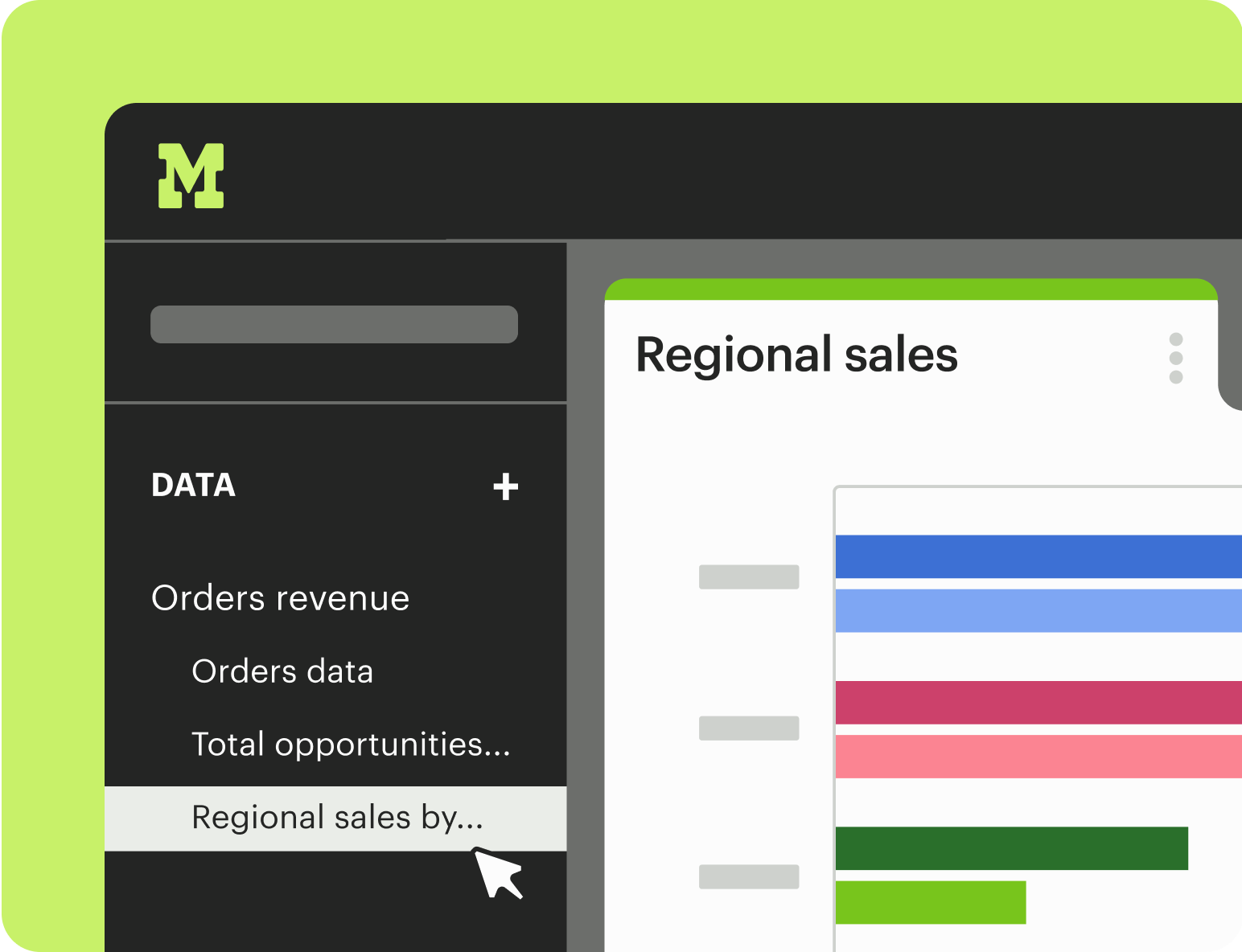
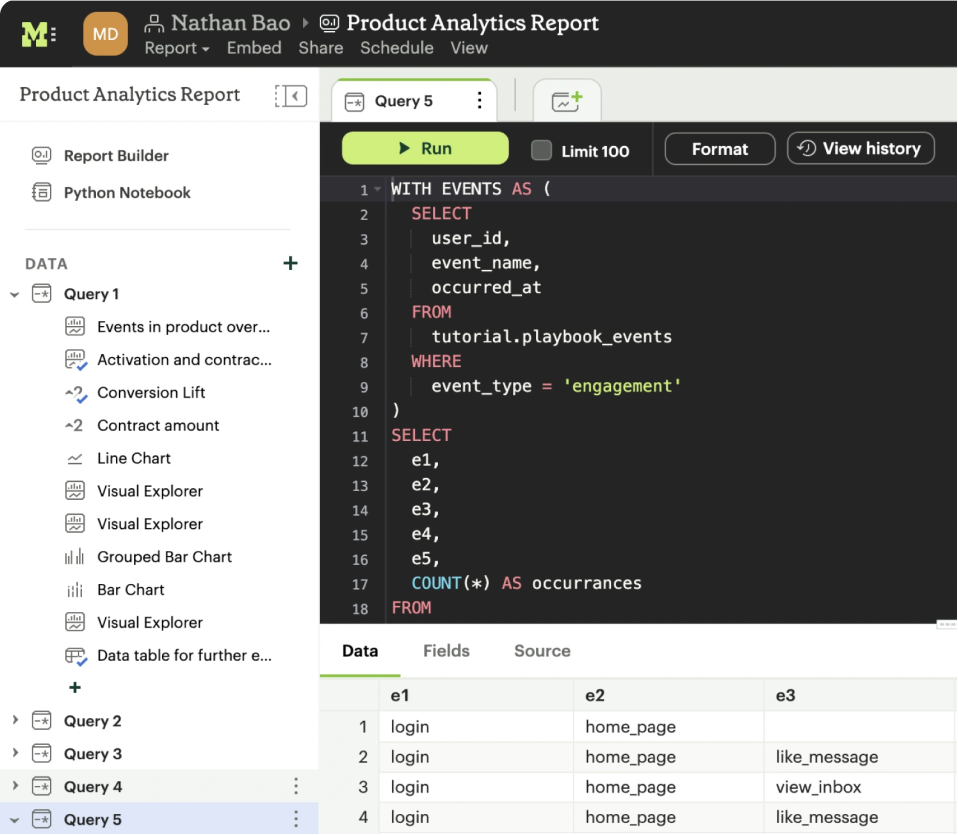
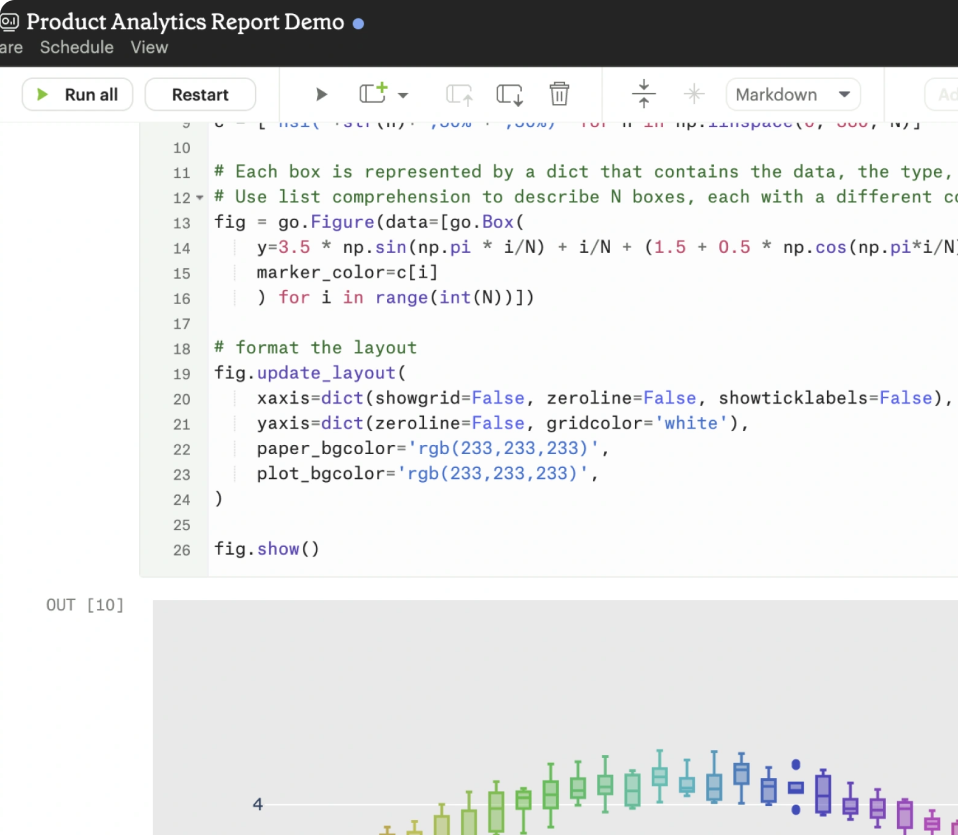
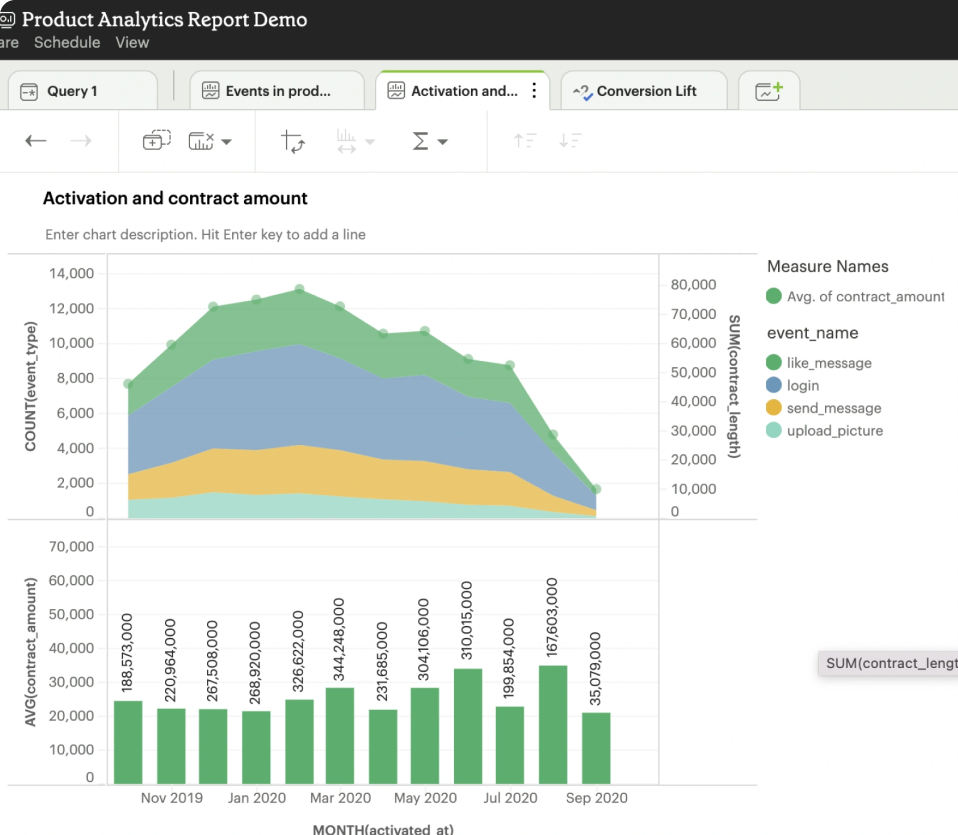
Key features include: SQL query execution, Ad hoc analysis capabilities, Self-service reporting tools, Integration of SQL, R, and Python, Data visualization tools, Centralized data hub, Rapid query iteration, User-friendly interface.
Mode is commonly used for: Data-driven decision making, Business performance analysis, Marketing campaign analysis, Sales forecasting, Customer behavior analysis, Financial reporting.
Mode integrates with: Google BigQuery, Amazon Redshift, Snowflake, PostgreSQL, MySQL, Microsoft SQL Server, Tableau, Looker, Zapier, Slack.

Together AI
Company at Together AI
2 mentions
Based on user reviews and social mentions, the most common pain points are: token usage, API costs, llm, large language model.
Based on 467 social mentions analyzed, 12% of sentiment is positive, 86% neutral, and 2% negative.